Processing time
A colour has a start, a wait while it develops, and a finish. While it develops the client waits in their chair, and the stylist is free for a shorter service in another chair. Caletan books that free time, online and at the desk, so the day fills the way a salon really works.
Setting it up
On the service, under How long, turn on Processing time, then give its three parts: Before, the minutes of work before it develops; Processing, the wait; and After, the finish. Caletan says what that comes to.
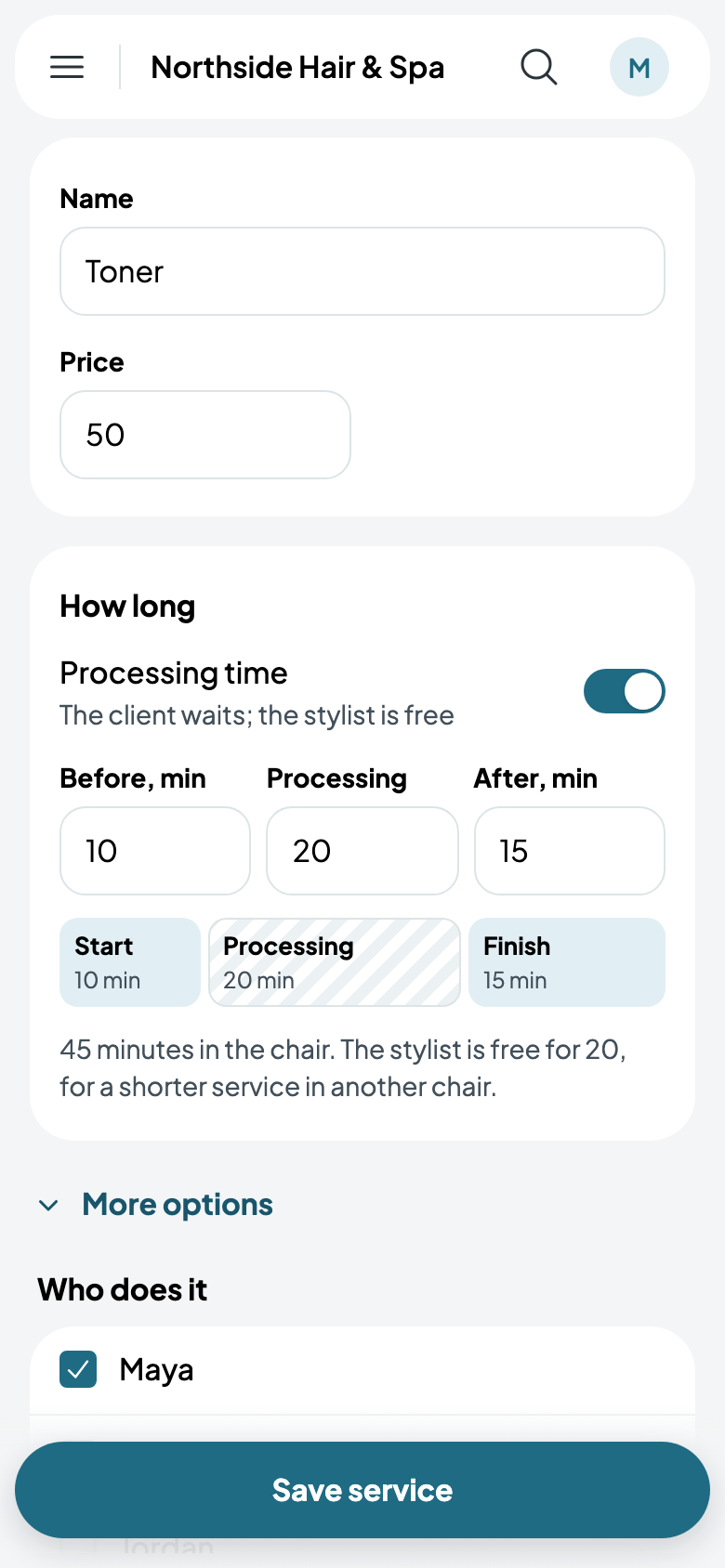
Under What it takes, tick the chairs it can be done in. The client's chair is held the whole time; only the stylist is free.
Your day
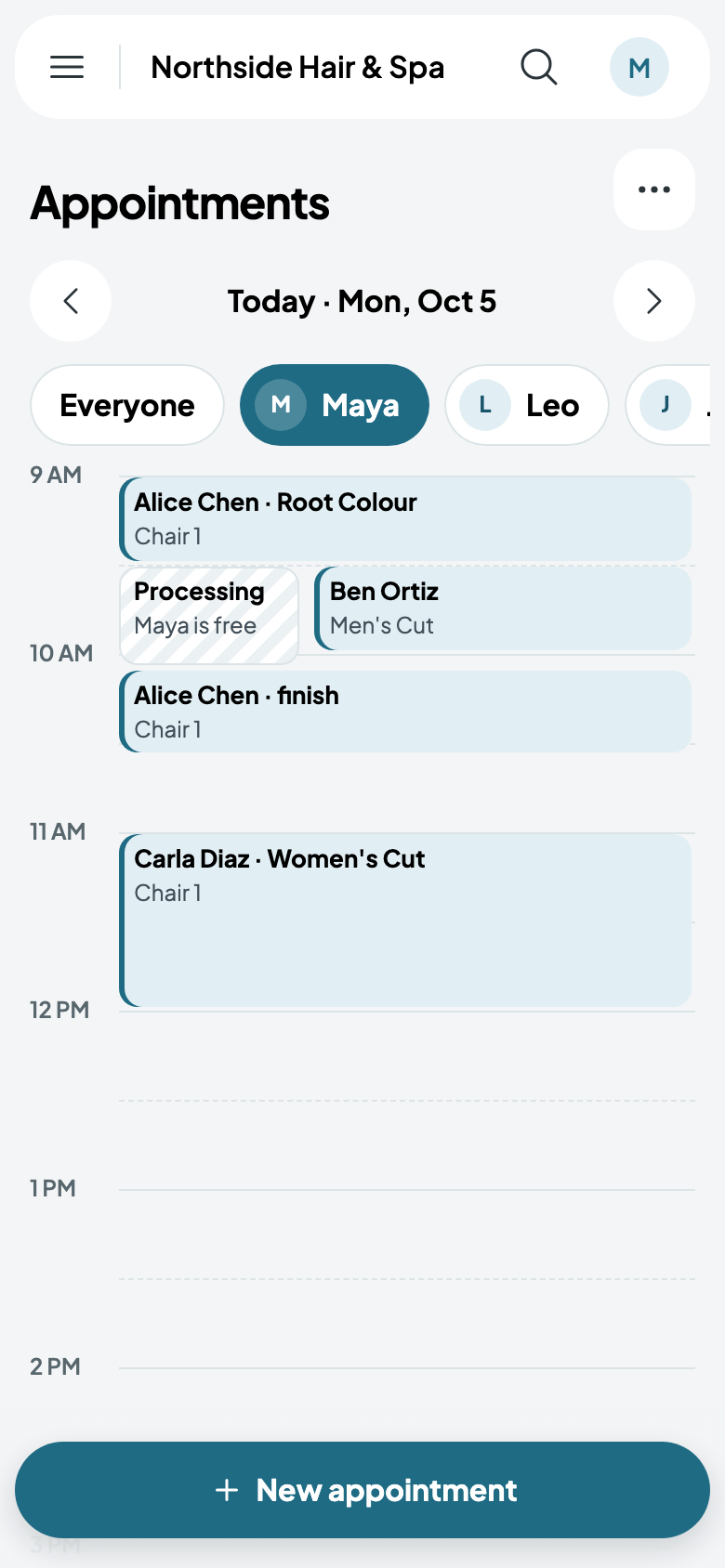
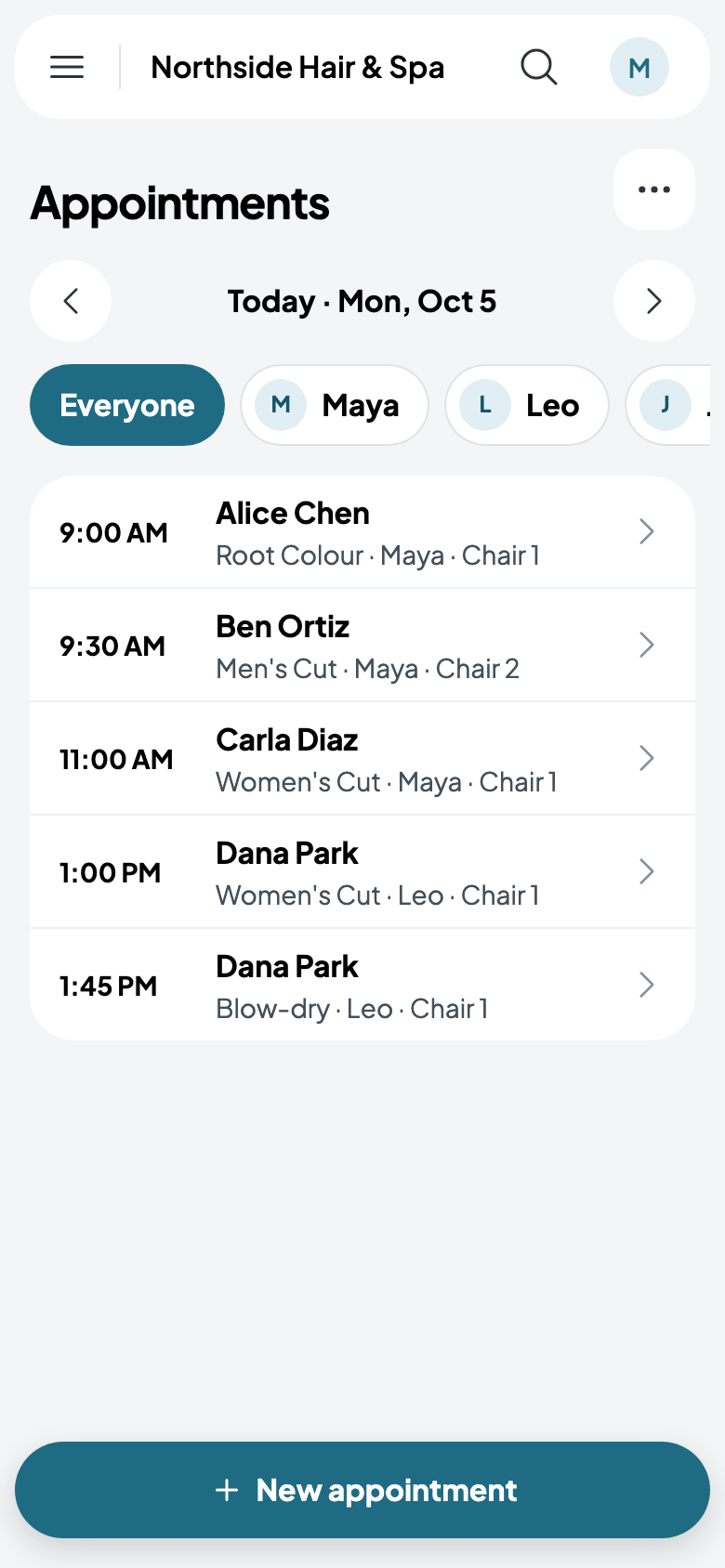
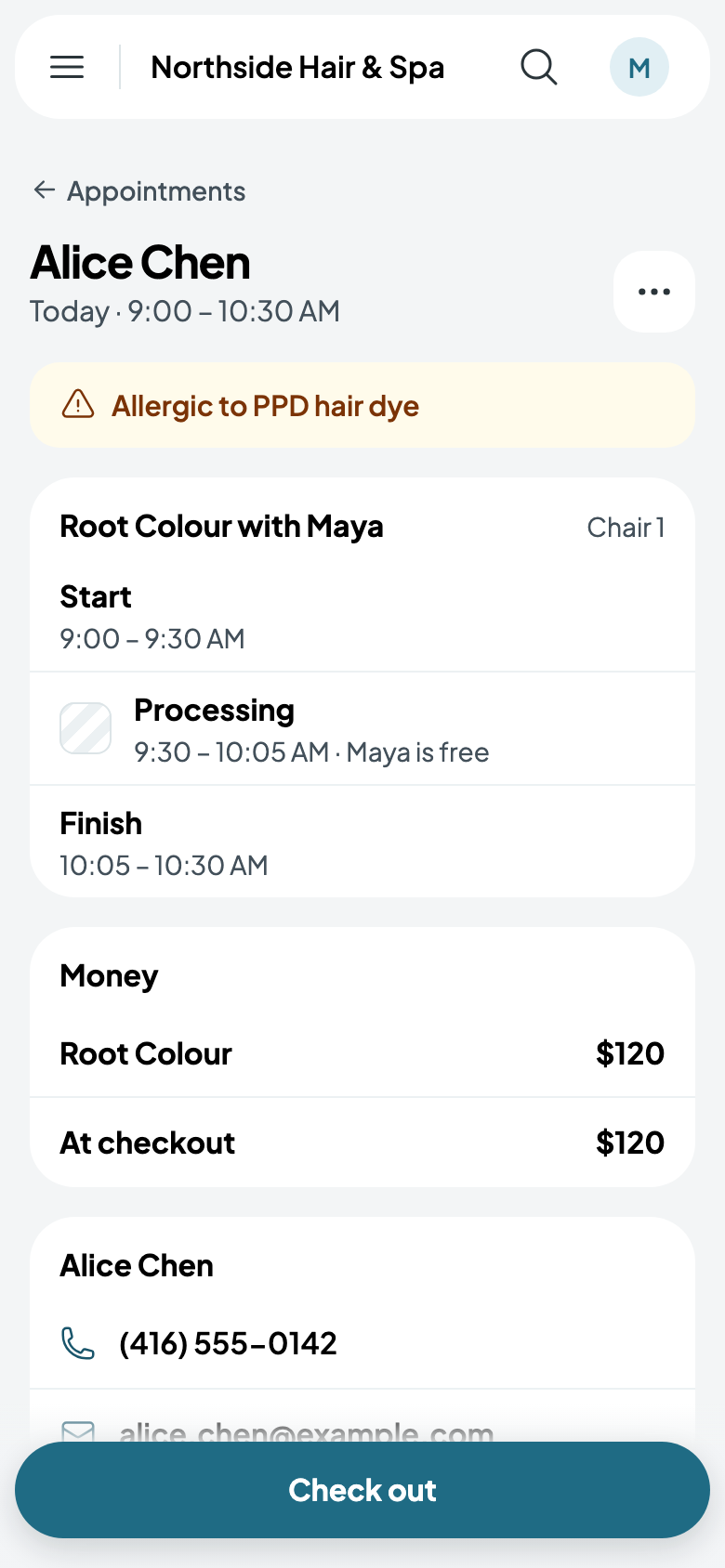
Appointments opens on your own day. A colour shows its start, its processing (Maya is free) and its finish, with whatever's booked in the processing beside it. Everyone lists the day by time for the whole team.
Tap an appointment for its parts and their times, the client's alert if they have one, and what's left to pay at checkout.
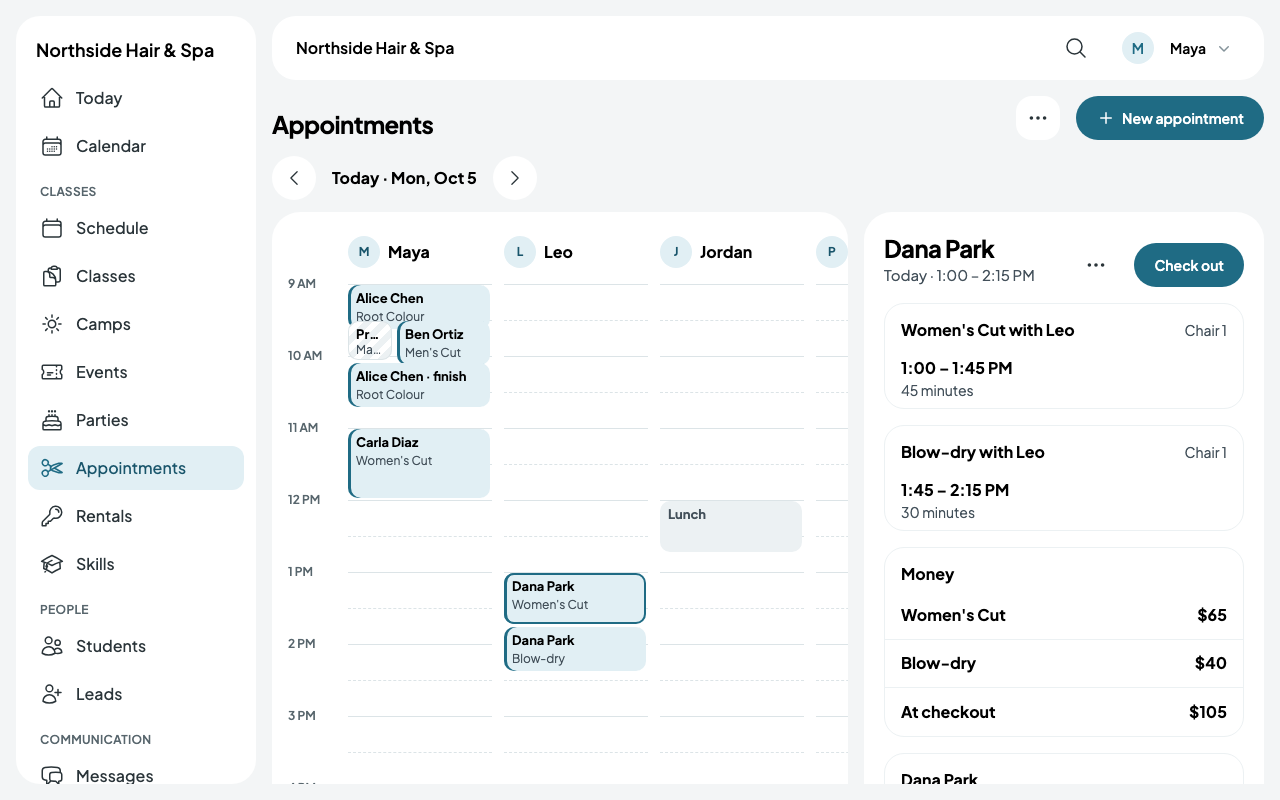
On a bigger screen, each person has a column, and an appointment opens beside the day.
Booking into the processing
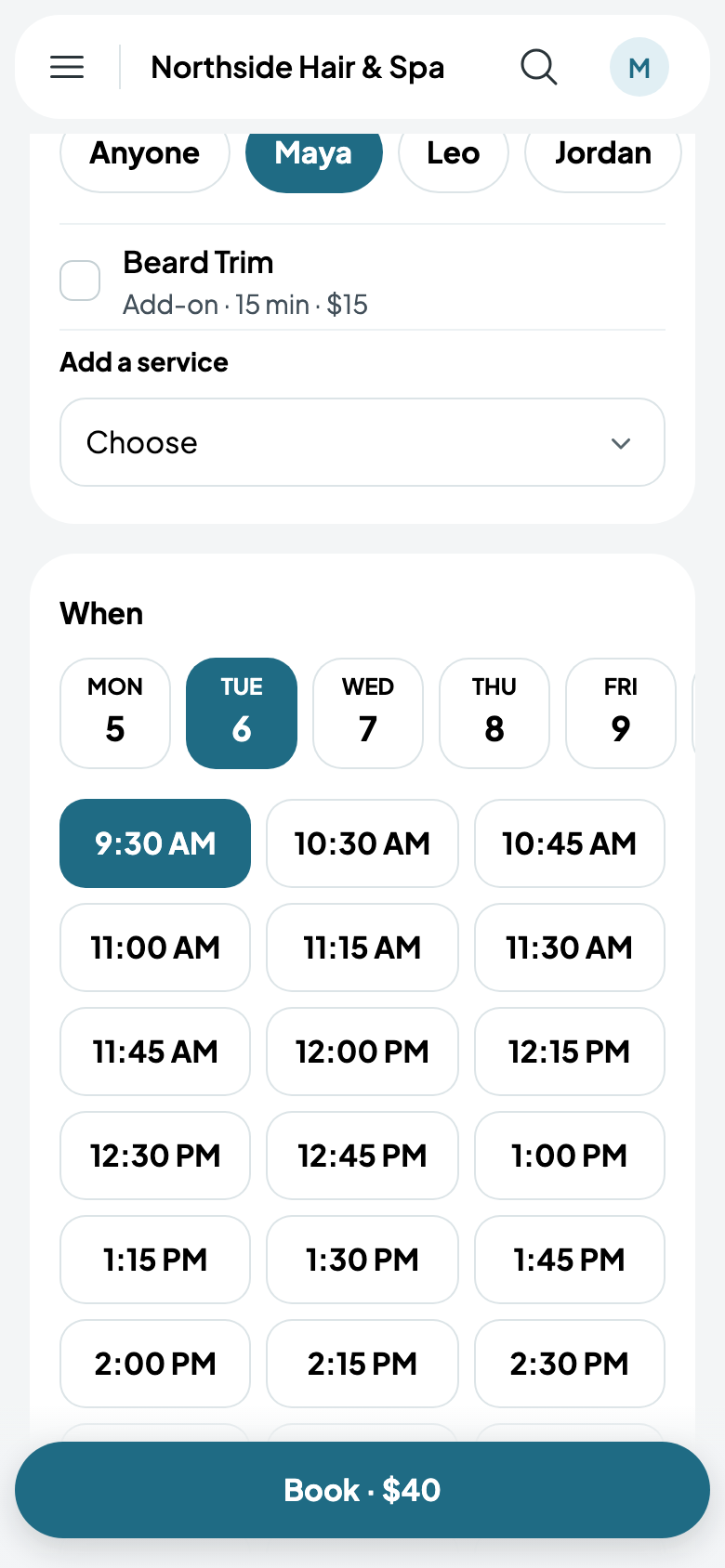
At the desk, tap New appointment, choose the client, the service and who does it, then the day: the starts offered include the stylist's processing time, as long as a chair is free too. Clients booking online are offered the same starts.