Services, staff and their hours
Each service says how long it takes, what it costs, who does it and what it takes, such as a chair or a treatment room. Each person's hours say when clients can book them online. Nobody is ever booked twice at once, and neither is a chair.
Your services
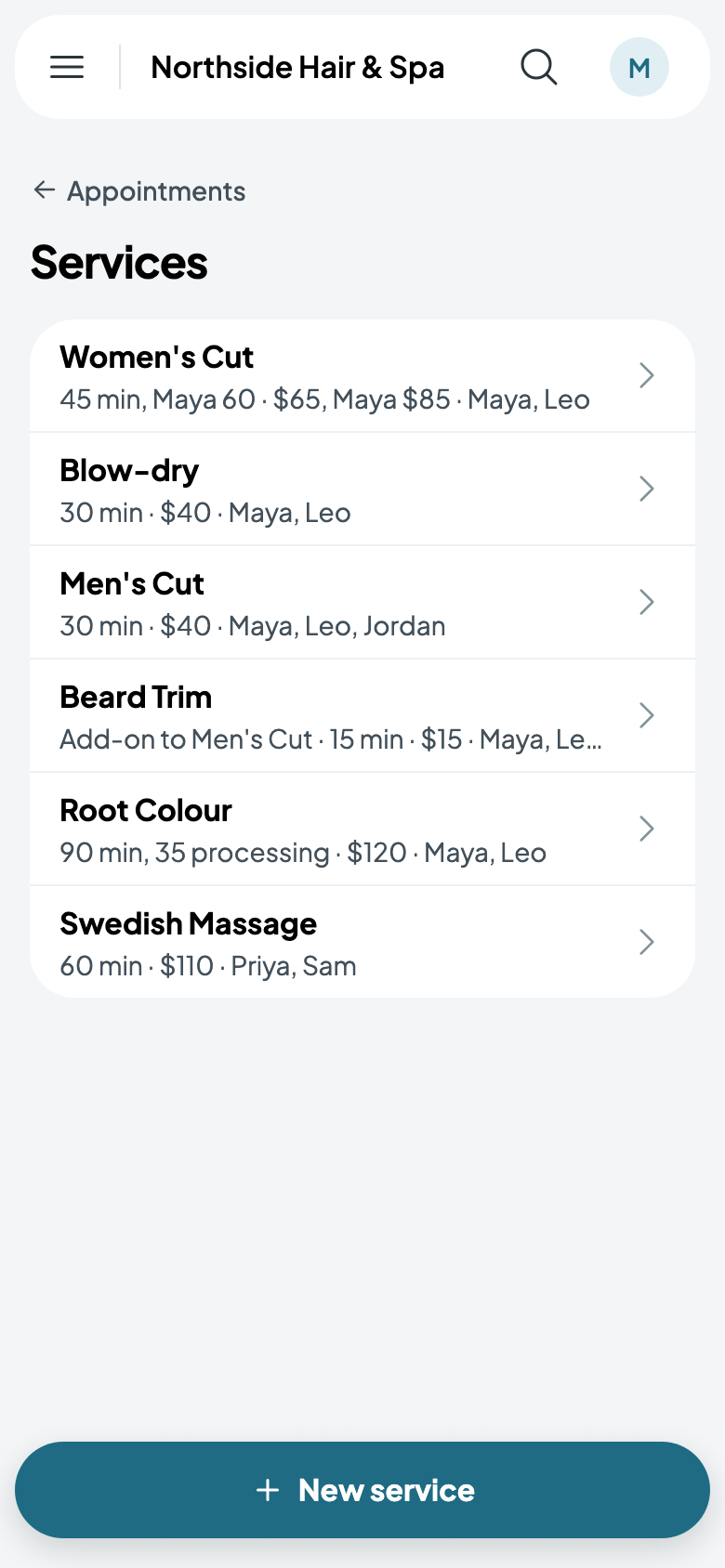
Go to Appointments, tap More, then Services. Each service shows its length, its price and who does it. Tap one to change it, or New service to add one.
- Give it a name and a price.
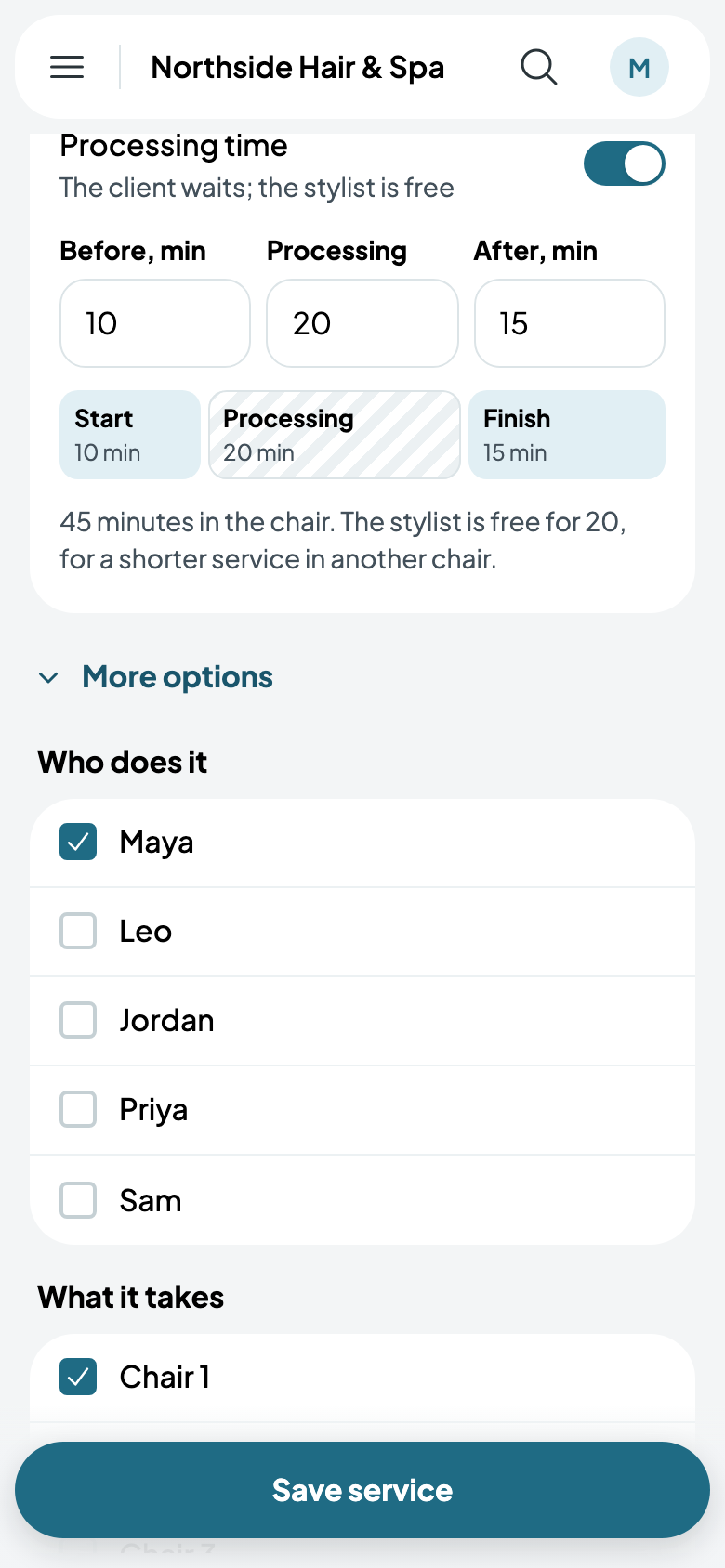
- Under How long, its minutes. For a colour that has the client wait part of the way through, turn on Processing time (see Processing time).
- Under Who does it, tick each person who does it, and under What it takes, each chair or room it can be done in. It takes any one of them that's free.
- Clients book it online is on, with starts every 15 minutes, up to 60 days ahead. Turn it off and only your staff book it.
- Tap Save service.
More options
More options, under how long it takes, has the rest, for the services that need it:
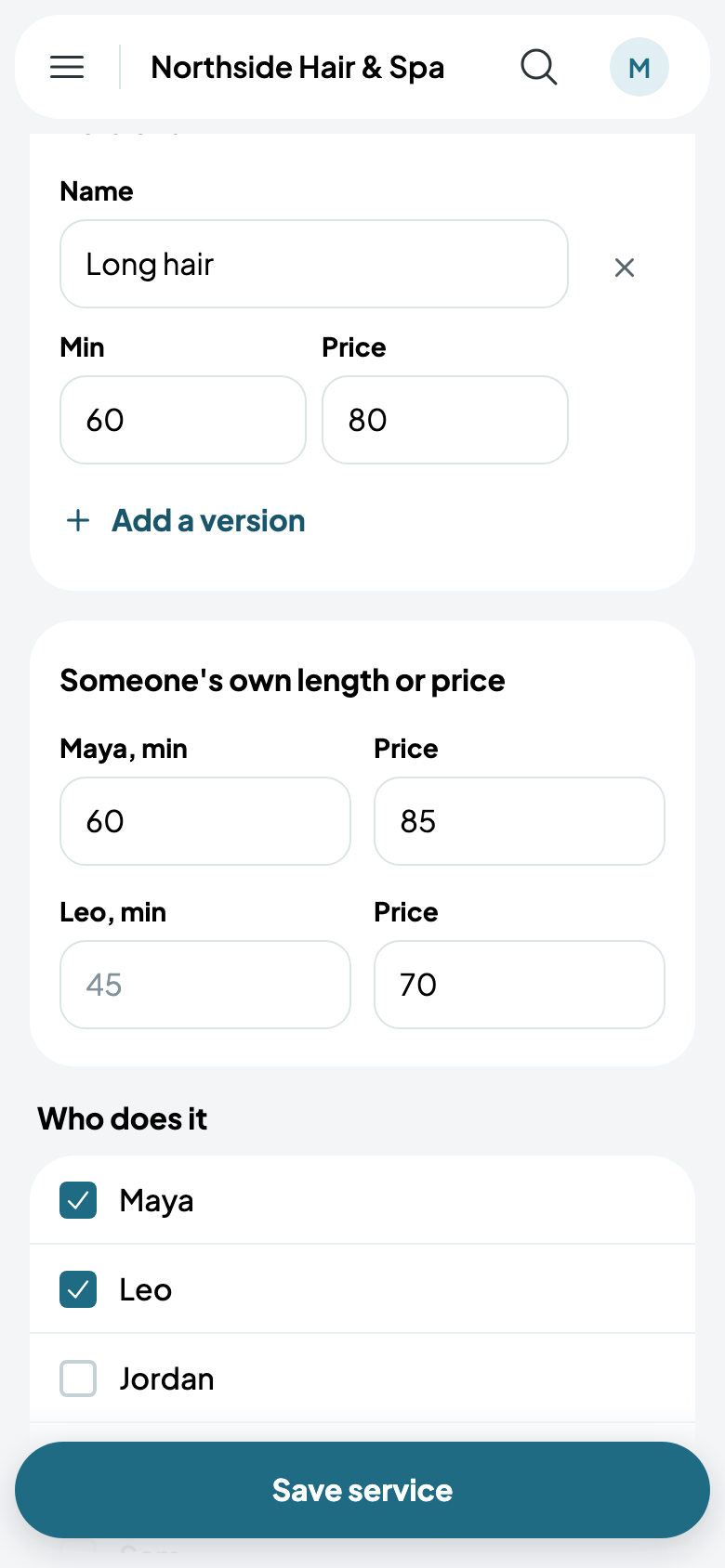
- Versions, such as a long-hair cut: each with its own name, minutes and price, which the client chooses when they book.
- Someone's own length or price, for a stylist who takes longer or charges more.
- Setting up and clearing up, minutes kept free before and after.
- When it's booked online: which days, the latest start, how often starts are offered, how much notice, and how far ahead.
- Staff it takes, People at once for a group (see Group sessions), An add-on to another service, a patch test, the equipment it needs, and whether it's Taxed.
Hours and time off
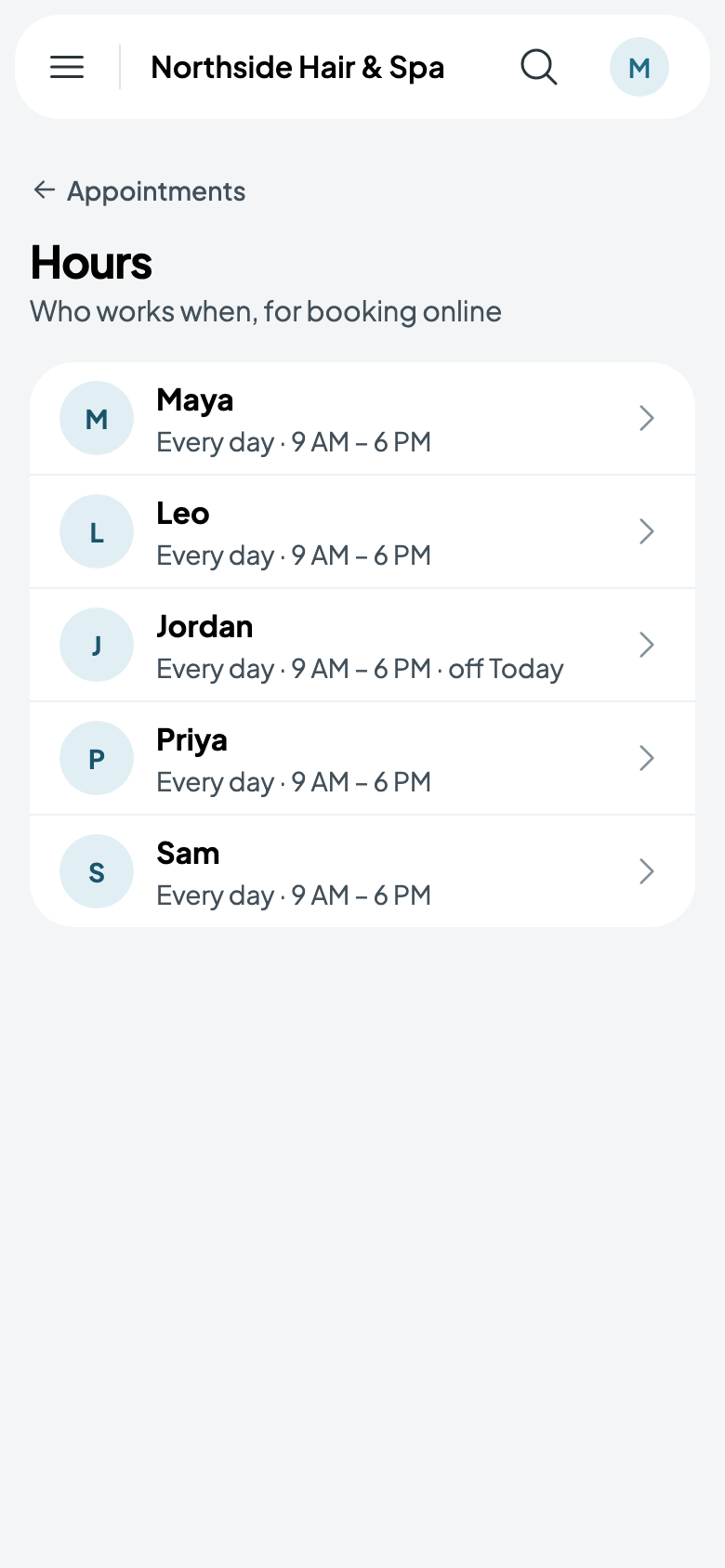
From More, Hours lists who works when. Tap someone for their week: turn a day off, change its hours, or add A break in the day. Tap Save hours.
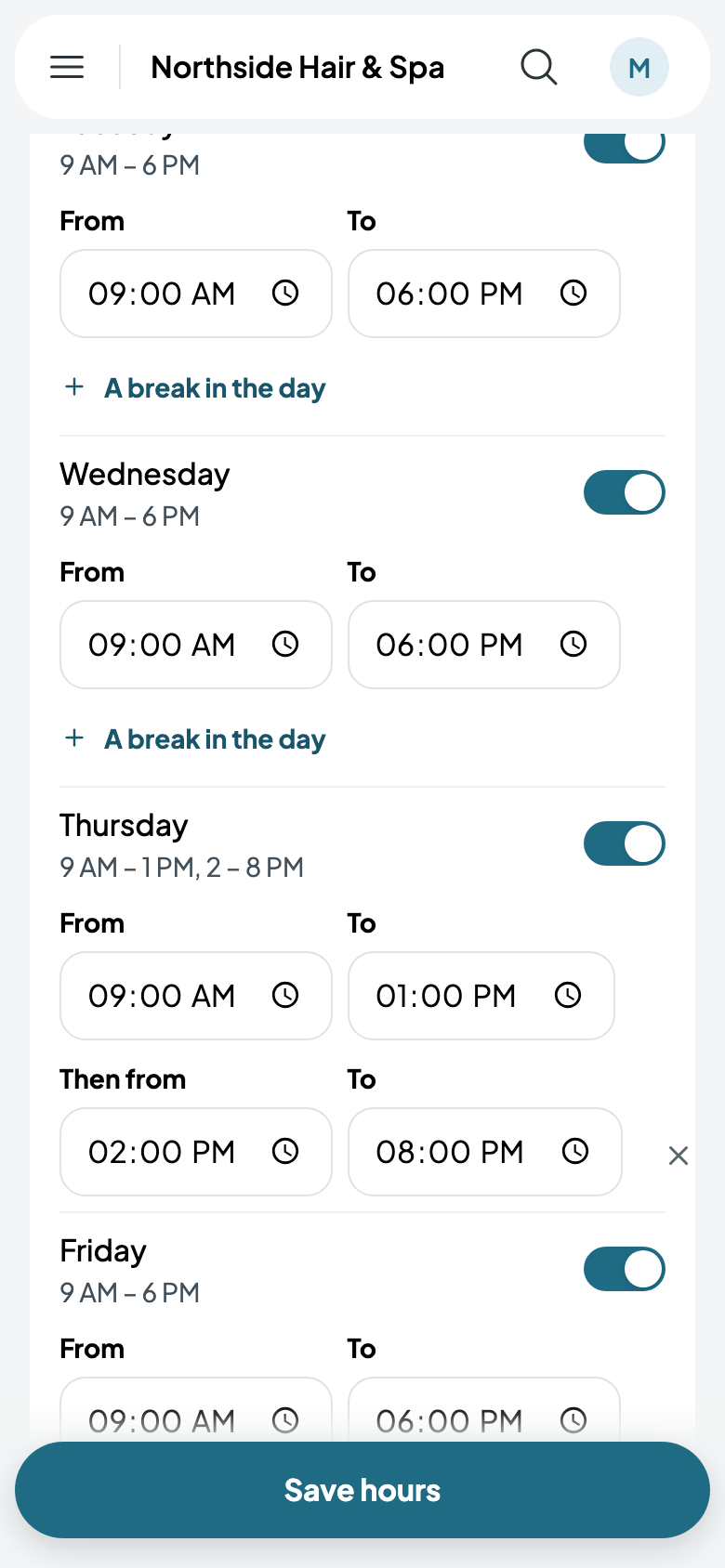
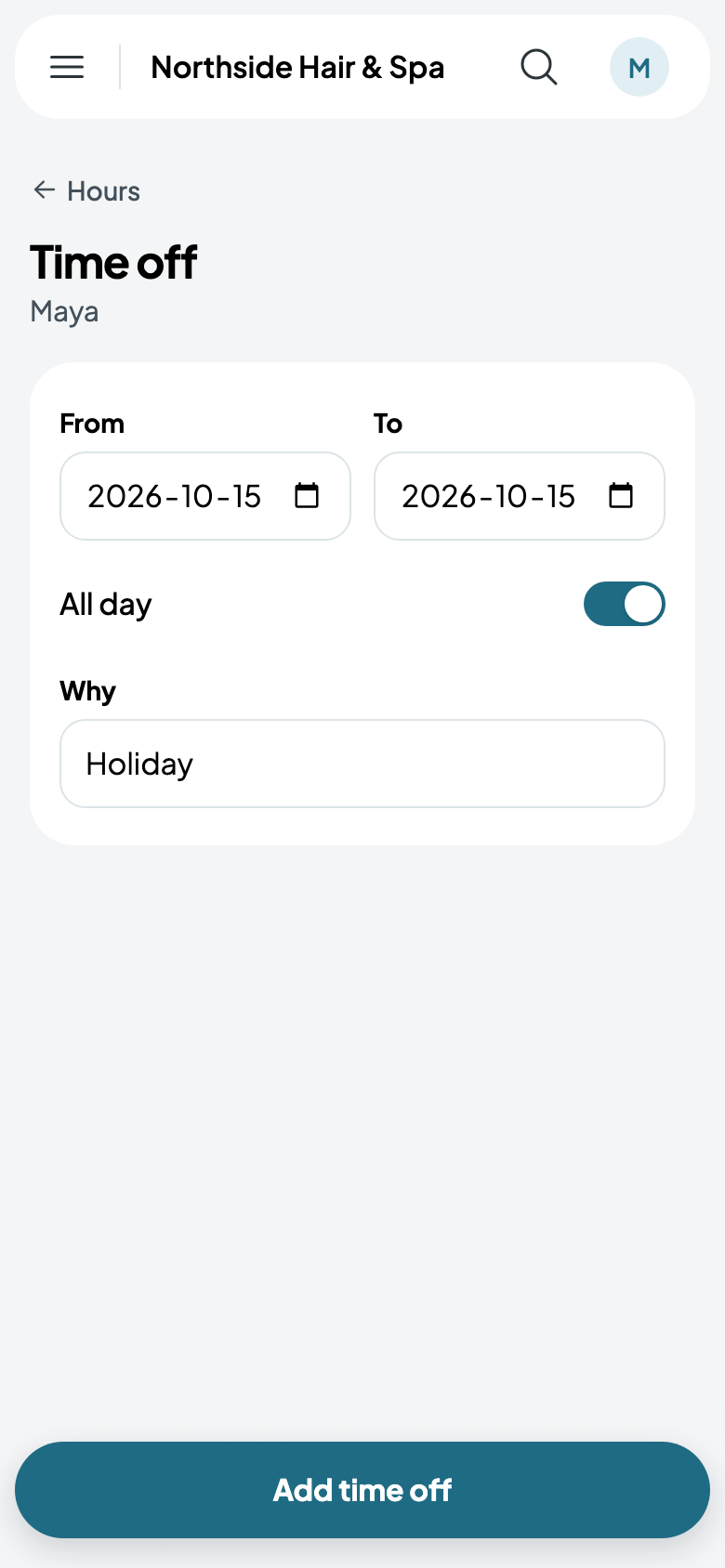
Under their week, Add time off for a day, several, or part of one, and why. It holds them like a booking: online and at the desk, their times aren't offered.
When someone's away
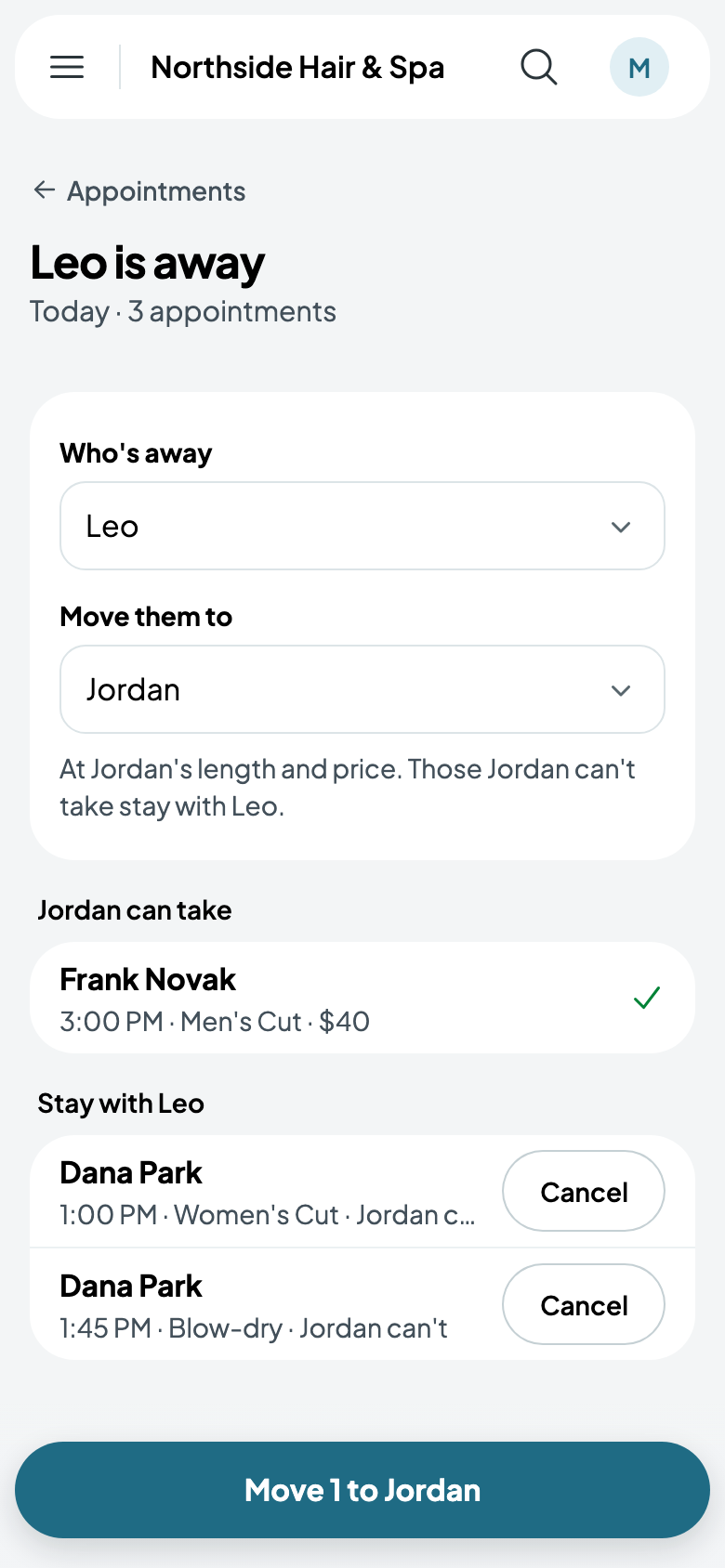
If someone's off sick, tap More, then Someone is away. Choose Who's away and who to Move them to: you see which of the day's appointments the other person can take, at their own length and price, and which stay, each with Cancel. Tap the button (Move 1 to Jordan) and they're moved.