Before and after care
Many families need their campers dropped off early or picked up late. Offer before care and after care on a camp, and each family ticks what each camper needs beside their option, on the same registration and the same bill.
Add it to a camp
- Open the camp and tap Edit camp (or make a new one).
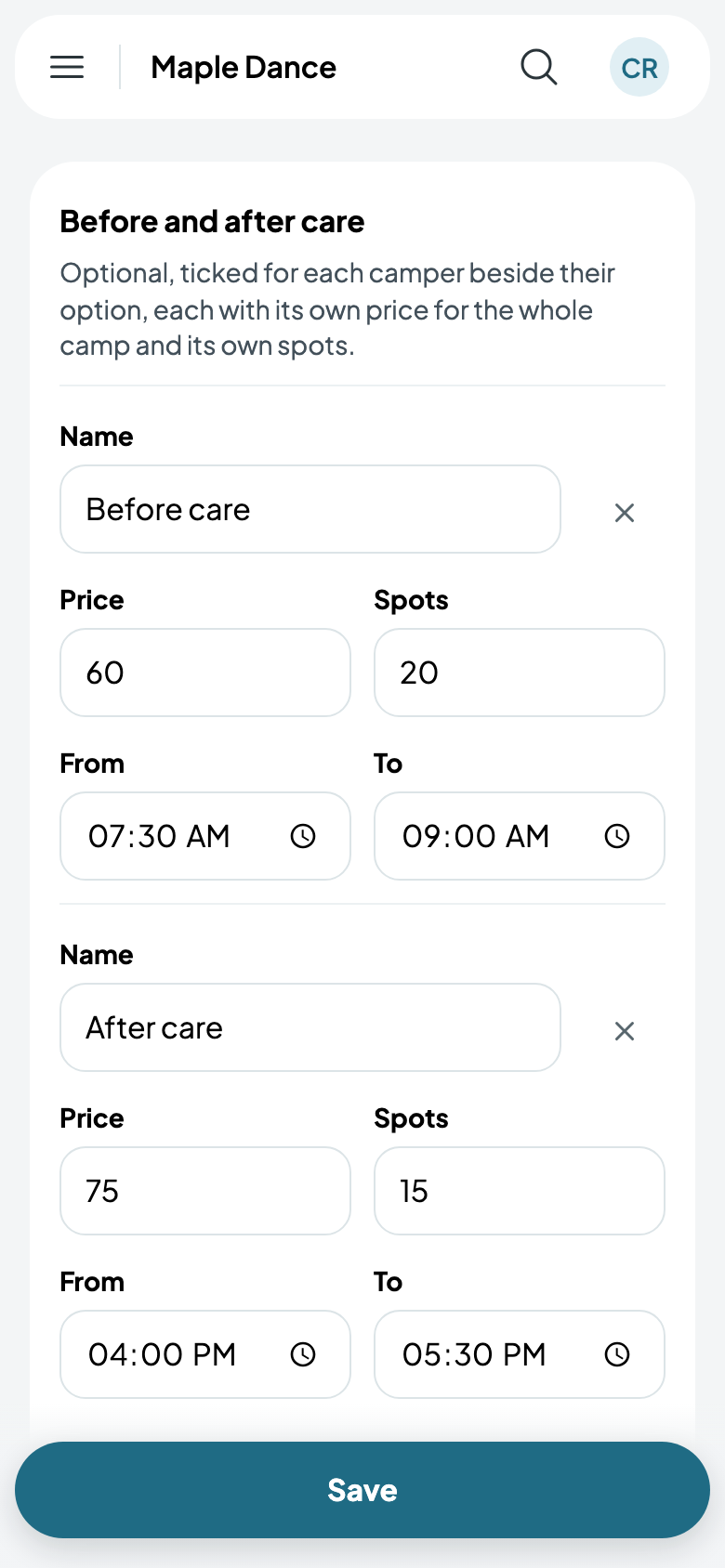
- Under Before and after care, tap Add before or after care. The first is before care, for the hour and a half before your camp starts; tap it again for after care, from when it ends. Change the times as you like.
- Give each its price for the whole camp, and its spots. They start as the camp's.
- Tap Save.
The camp's page shows each with its price and how many of its spots are taken.
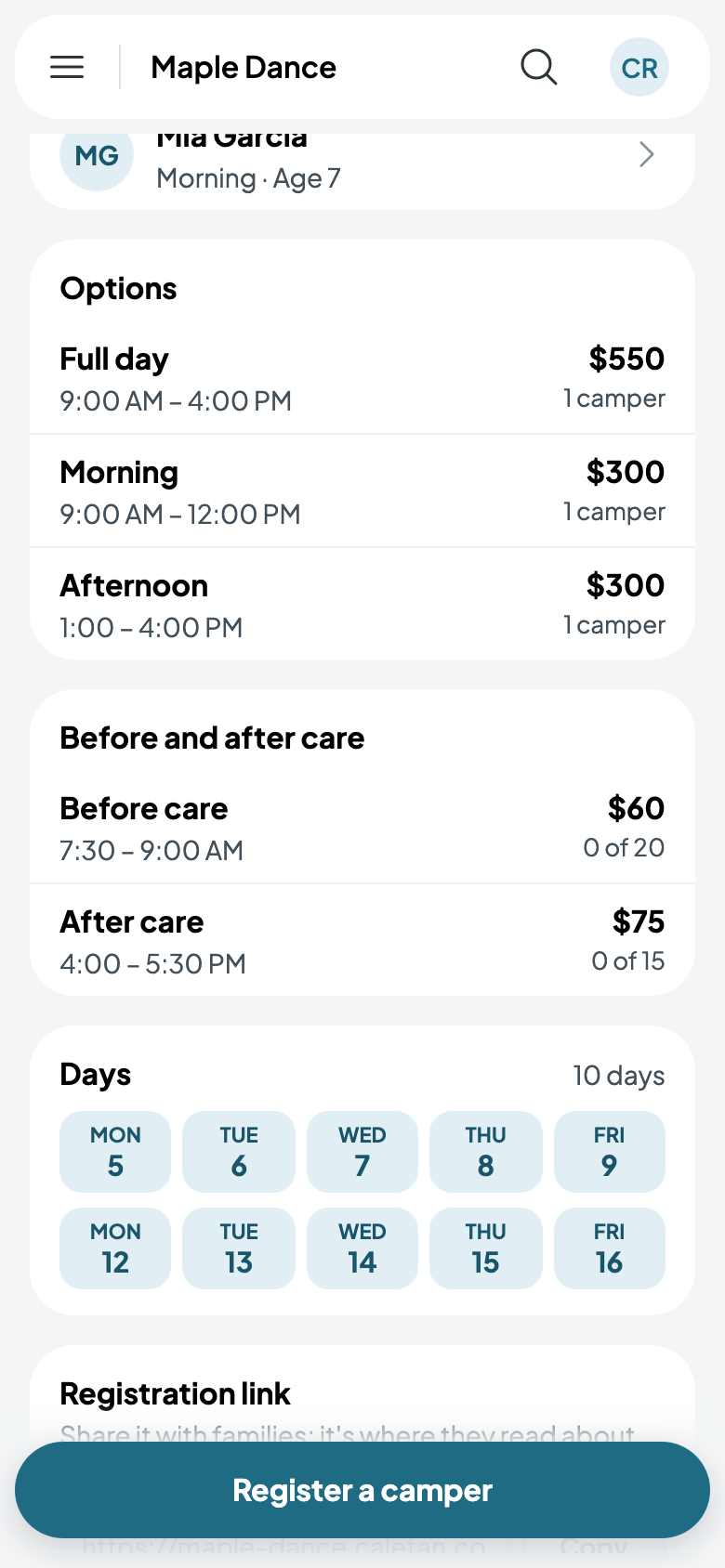
Care's spots are counted on their own: a camp with room can still have its after care full. Once a camper has it, it can't be removed from the camp, and its spots can't go below its campers.
Families tick it
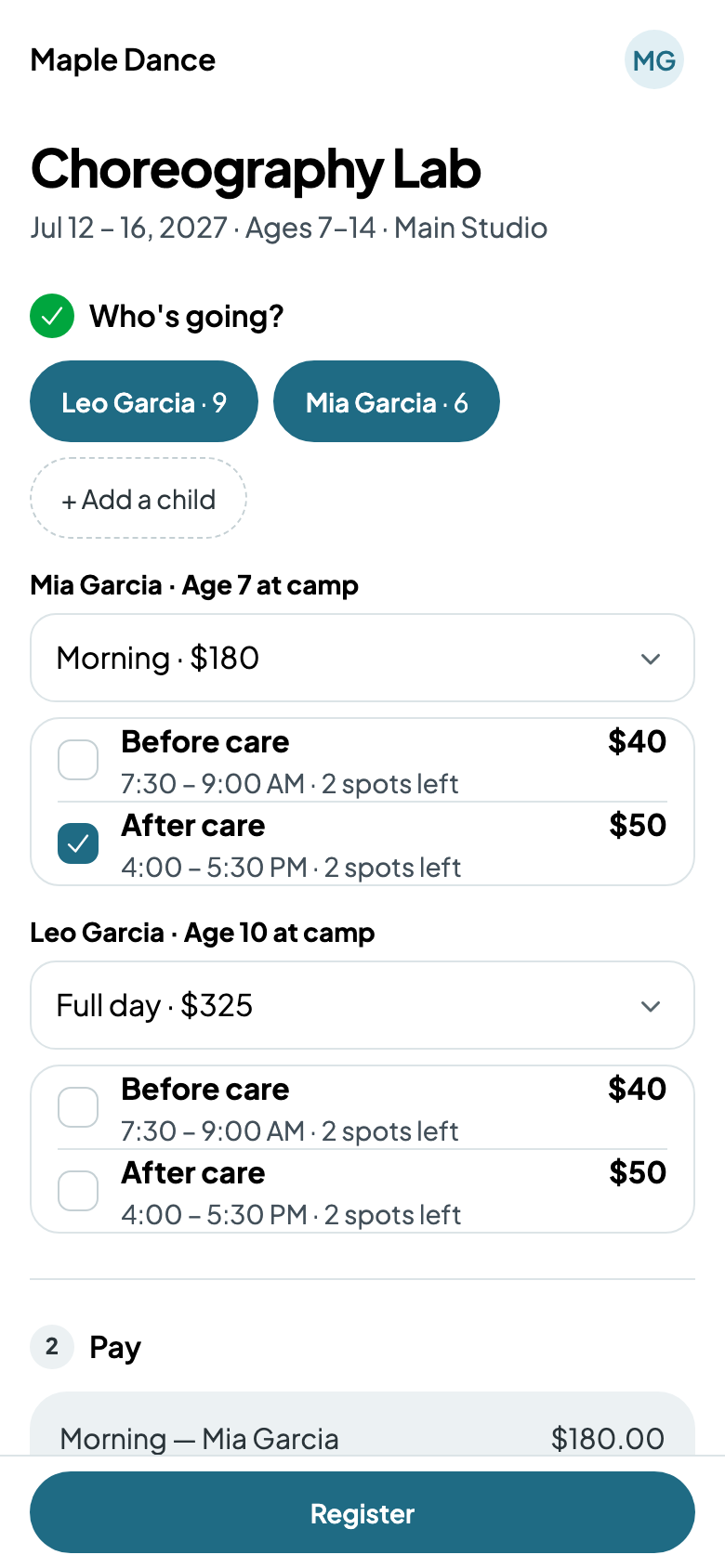
Registering, each camper has their option, then a tick for each kind of care, with its hours and price. A full one says so. The bill has a line for each, named for the camper; joining partway costs less for the days left, care included.
At the desk
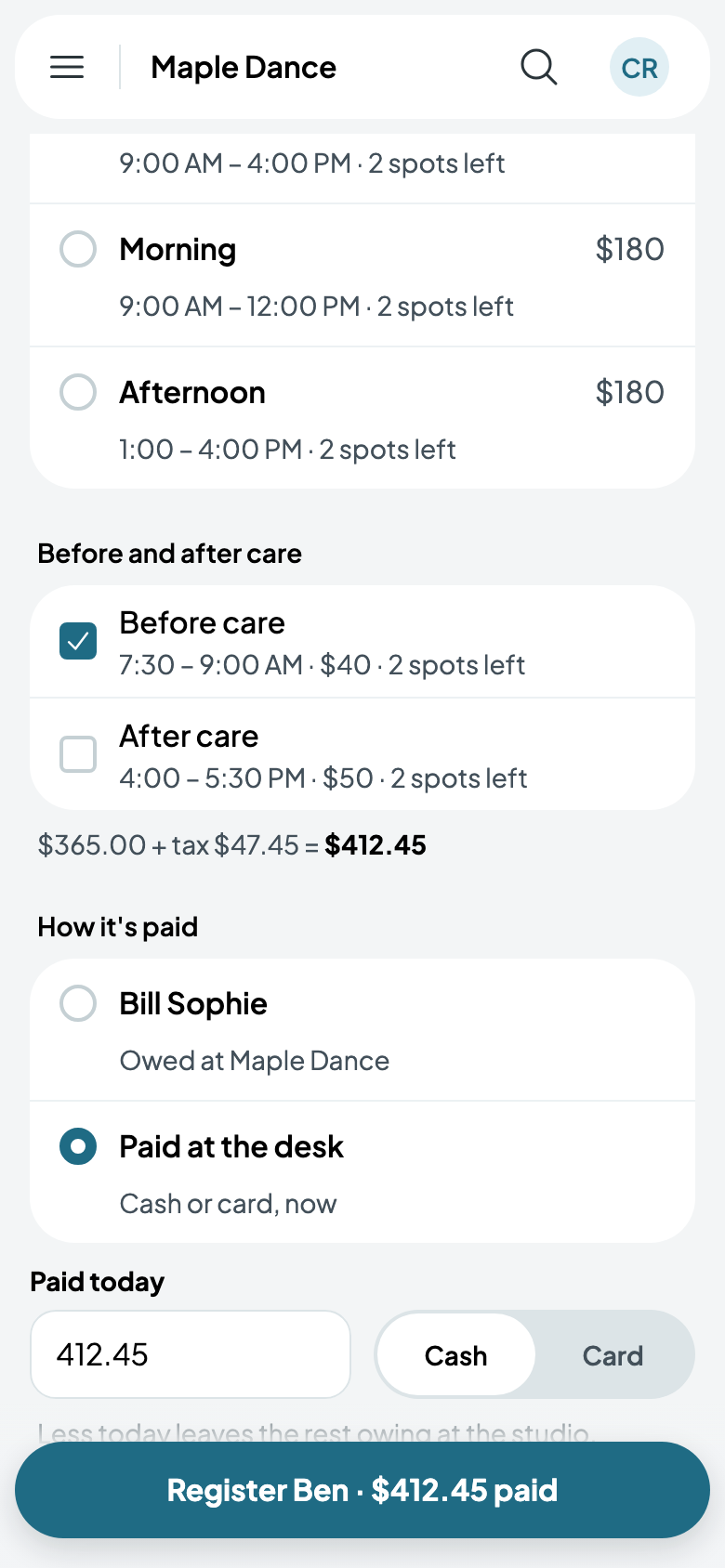
Registering a camper at the desk, tick their care under their option. What it comes to, with its tax, changes as you tick.
On the camp's page, each camper's care shows beside their option.