Leads
A lead is someone who has asked about your business and hasn't bought anything yet: a parent who filled in your website's form at 6 AM, someone who phoned, a family who joined a waitlist or booked a trial. Leads, in the menu, keeps them in one short list, in the order to answer them, and says how many are waiting for a reply.
How leads come in
There's nothing to set up. Someone becomes a lead from:
- Your website's question form. Every site has one, in its contact section and on a page of its own, Ask us anything, and each class's page has Ask about this class. They give their name and email, a phone if they like, what they're interested in and a message, and can tick to get your news. They're thanked at once by email, and their words land in their conversation in Messages, where you answer. A newsletter signup, or a form of your own on your site, makes a lead too. Your website's question form, under More, opens it.
- An email. Your inbox address, under More, is where to forward your business's email: anyone new who writes becomes a lead, and their email lands in Messages.
- A waitlist, a trial or a request. Someone new who joins a waitlist, books a trial or asks to book something is a lead too.
- A call or a walk-in, which you add yourself, or a spreadsheet of the leads you already have. A text from a number nobody has can be added as a lead from your inbox.
Someone who's already one of your families isn't a lead: their question goes straight to their conversation. You're emailed when someone new asks, which you can switch off in Settings, Emails (see Automatic emails). Trying the form with your own email adds nobody.
The list
Leads are grouped in the order to act on them: New, the longest waiting first, then Trial, then Talking. Each row says what they're interested in and how they came, how long ago they asked, and who's following up. Someone new who has waited over a day shows it in your colour, and Today says so too, with Reply to them.
The counts at the top, New, Talking, Trial and Joined, show only those when you tap one, a page at a time; tap it again for everyone. Not now is under the groups. Find a lead finds someone by their name, email or phone, or what they asked about.
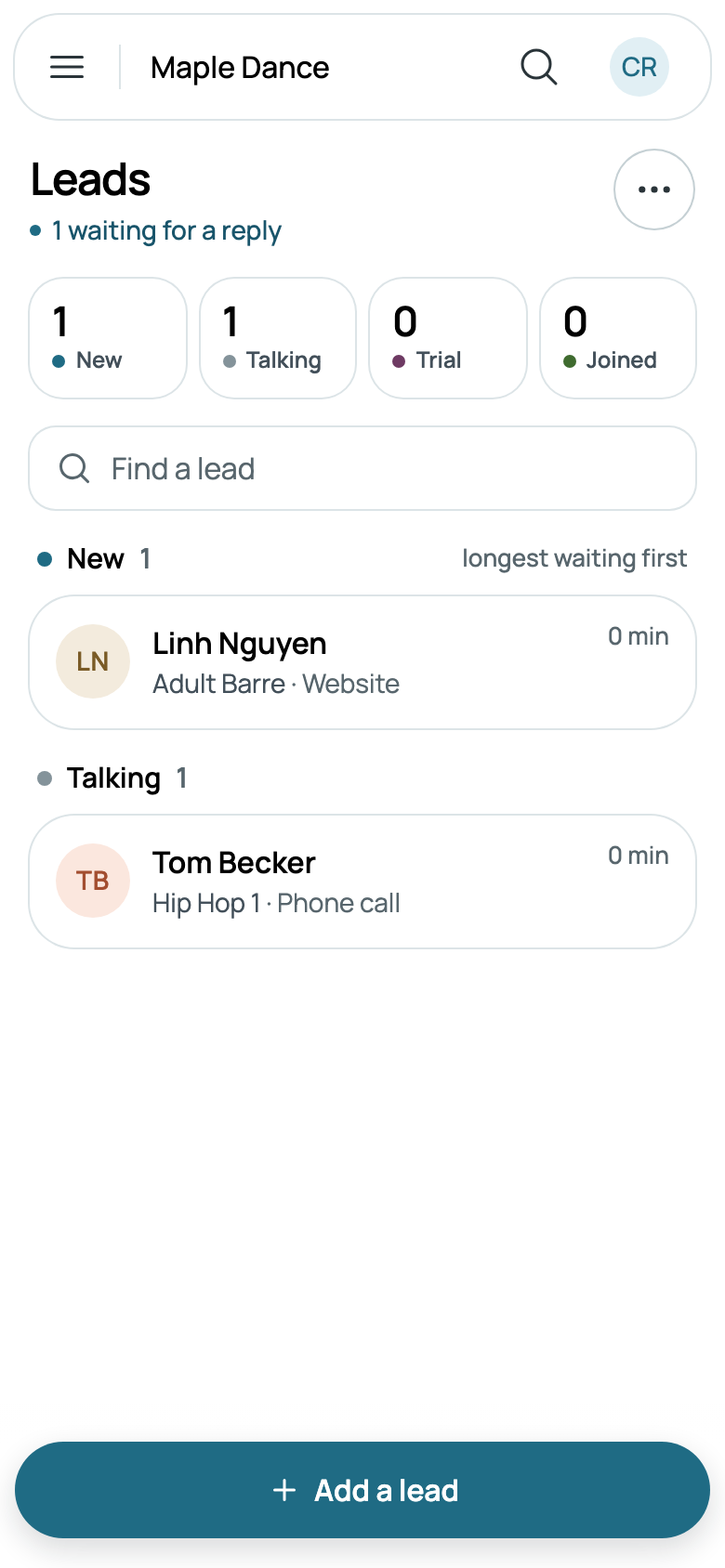
Where a lead stands follows from what happened, so there's nothing to drag or keep up to date:
- New: they asked, and nobody has answered yet.
- Talking: you've written to them or added a note, or you added them yourself.
- Trial: they have a trial booked.
- Joined: they enrolled, bought or booked something other than a trial or a ticket.
- Not now: you marked them so. If they ask again, the lead opens again.
Joined and Not now show those who asked in the last 90 days.
A lead's page
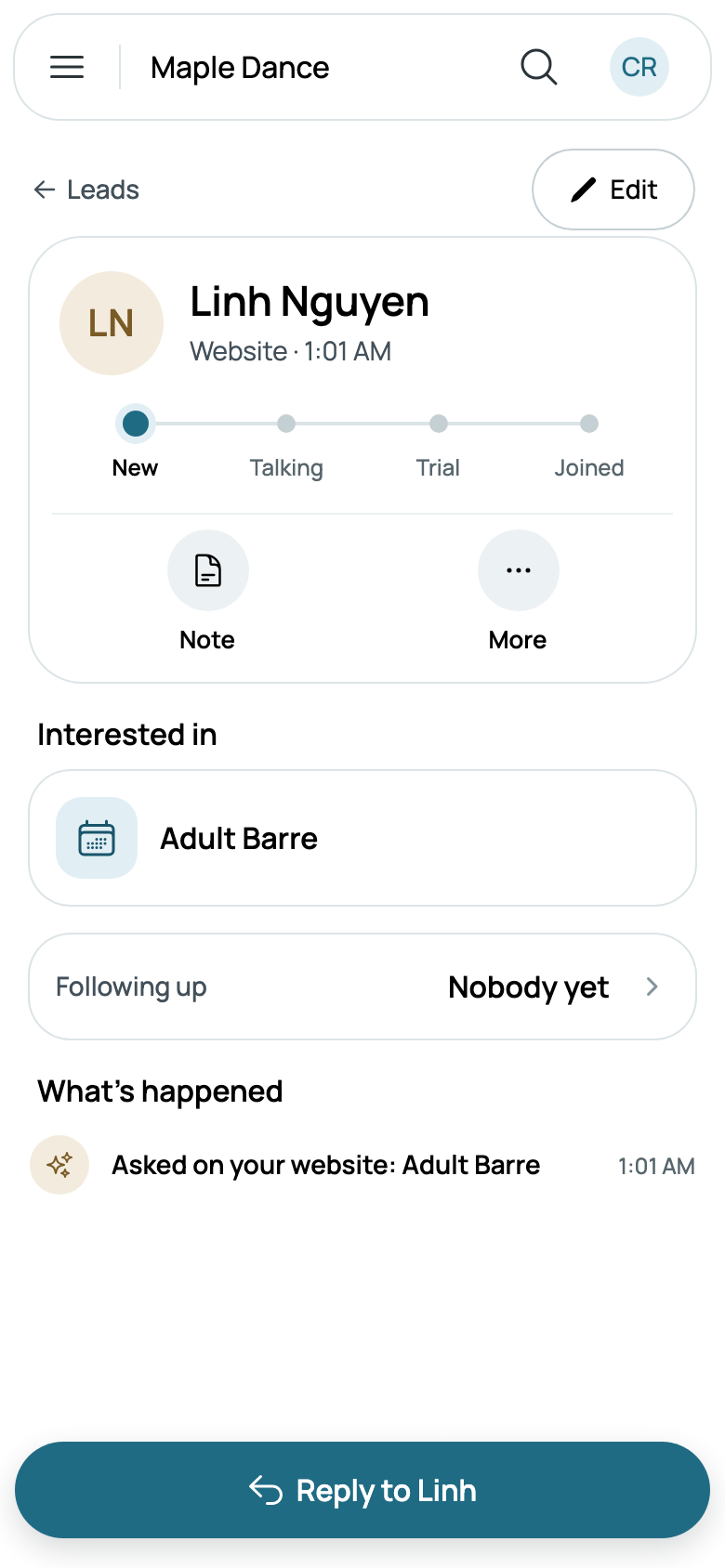
Tap a lead for their page: how they came and when they last asked, and where they stand, from New to Joined. Under it are Call, when they gave a phone, Note, Trial, when they asked about a class, and More.
Interested in is the class they asked about, with when it meets and the places left; tap it to open the class. Following up is who on your team answers them: tap it to choose someone who manages families, or Nobody. Nobody is told; it's so your team knows whose they are.
What's happened is their story, newest first: each time they asked, their words and yours, your notes, which only staff see, and their trials and how they ended.
Reply to Linh opens your conversation with them in Messages, so the story stays in one place; for someone who gave only a phone, such as Tom, it's Call Tom. On a computer, a lead opens beside the list, with a box to reply at its foot.
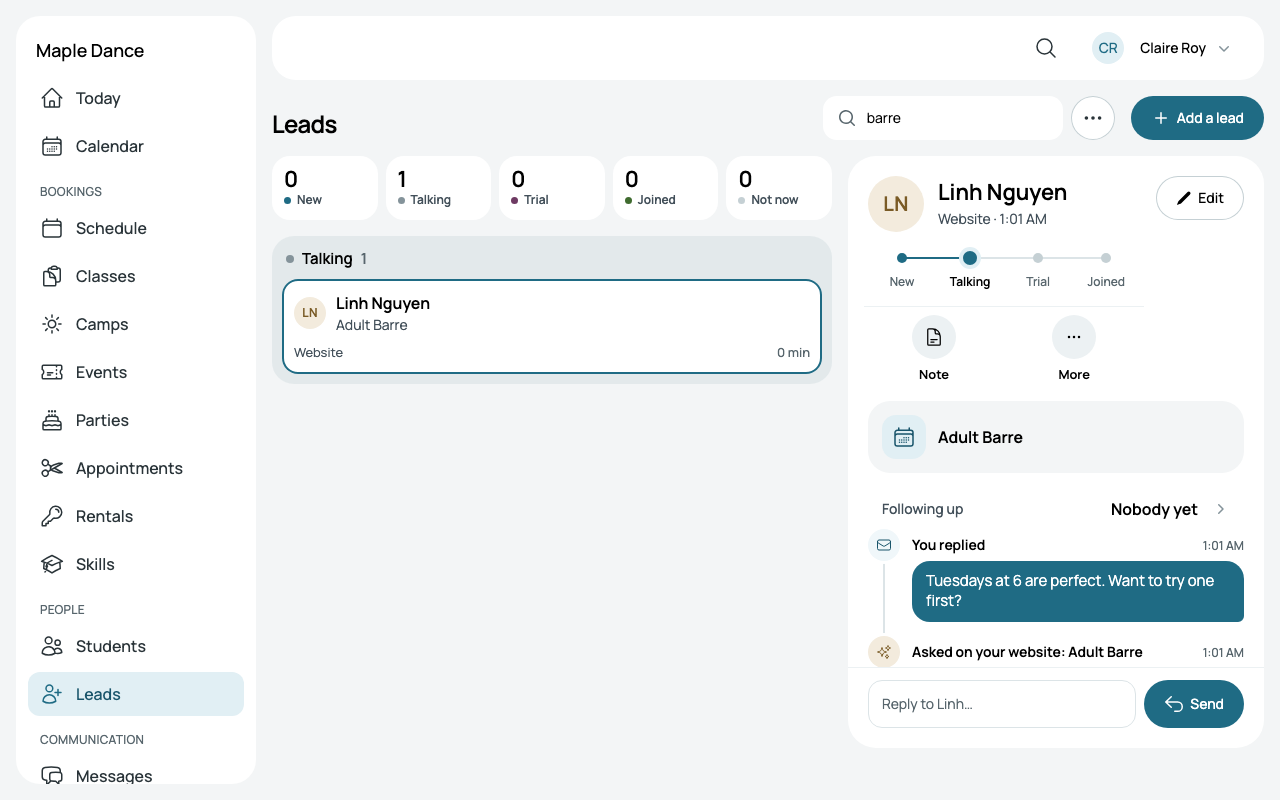
Trial opens Book a trial for the class they asked about, and More has Enroll in that class, such as Enroll in Hip Hop 1. Once they've joined, More has Open their family instead.
Not now
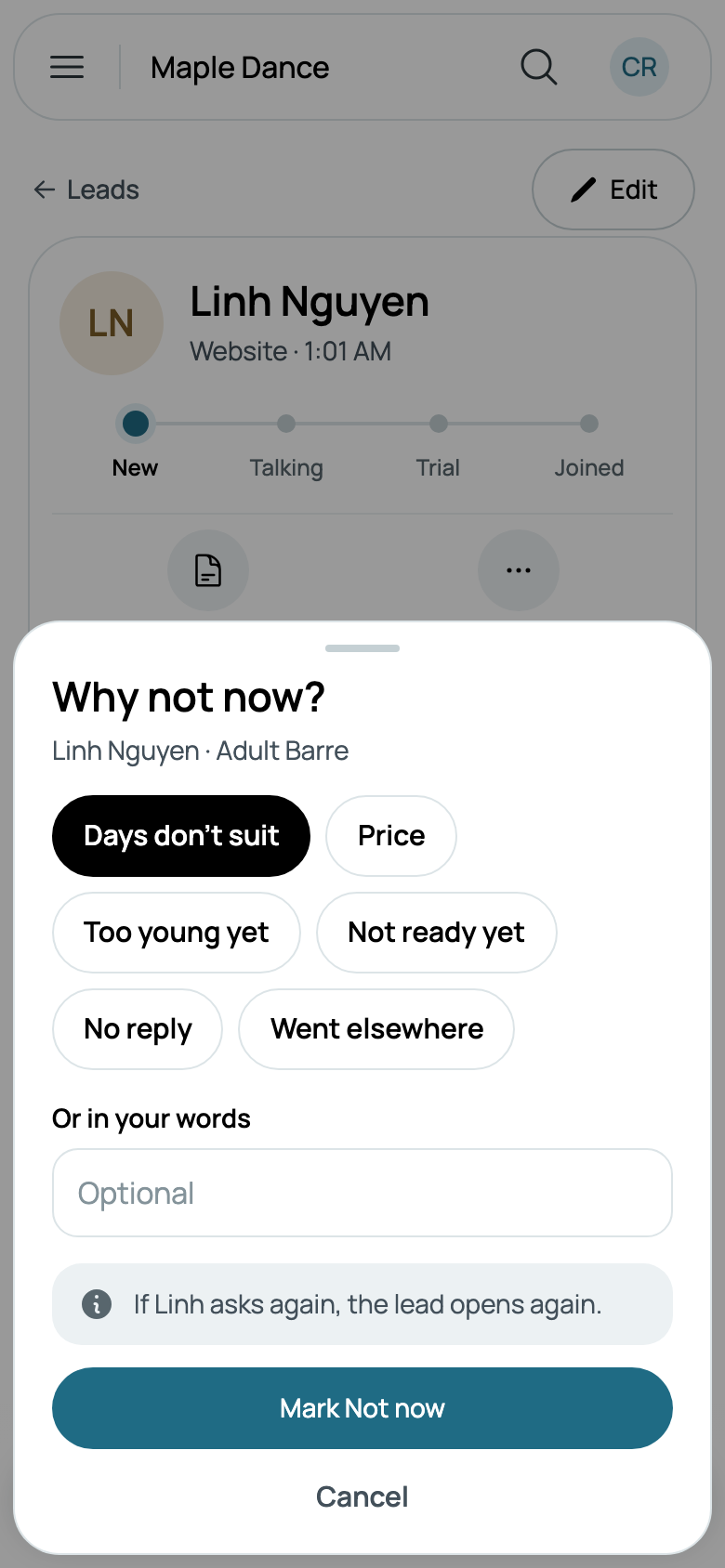
When someone isn't ready, More, then Not now, asks Why not now? Tap a reason, such as Days don't suit, Price or Too young yet, or write your own under Or in your words. A trial of theirs still waiting reads "not continuing", as it's the same answer. Mark Not now, and Undo is there for a few seconds.
Adding a lead from a call
Add a lead is for someone who phoned, texted or walked in. Choose How did they reach you?: Call, Text, Walk-in or Other. Give their Name and a Phone or an Email: either is enough. Interested in starts at Not sure yet; tap it to choose one of your classes. A Note is what they told you, for your team. Add lead opens their page.
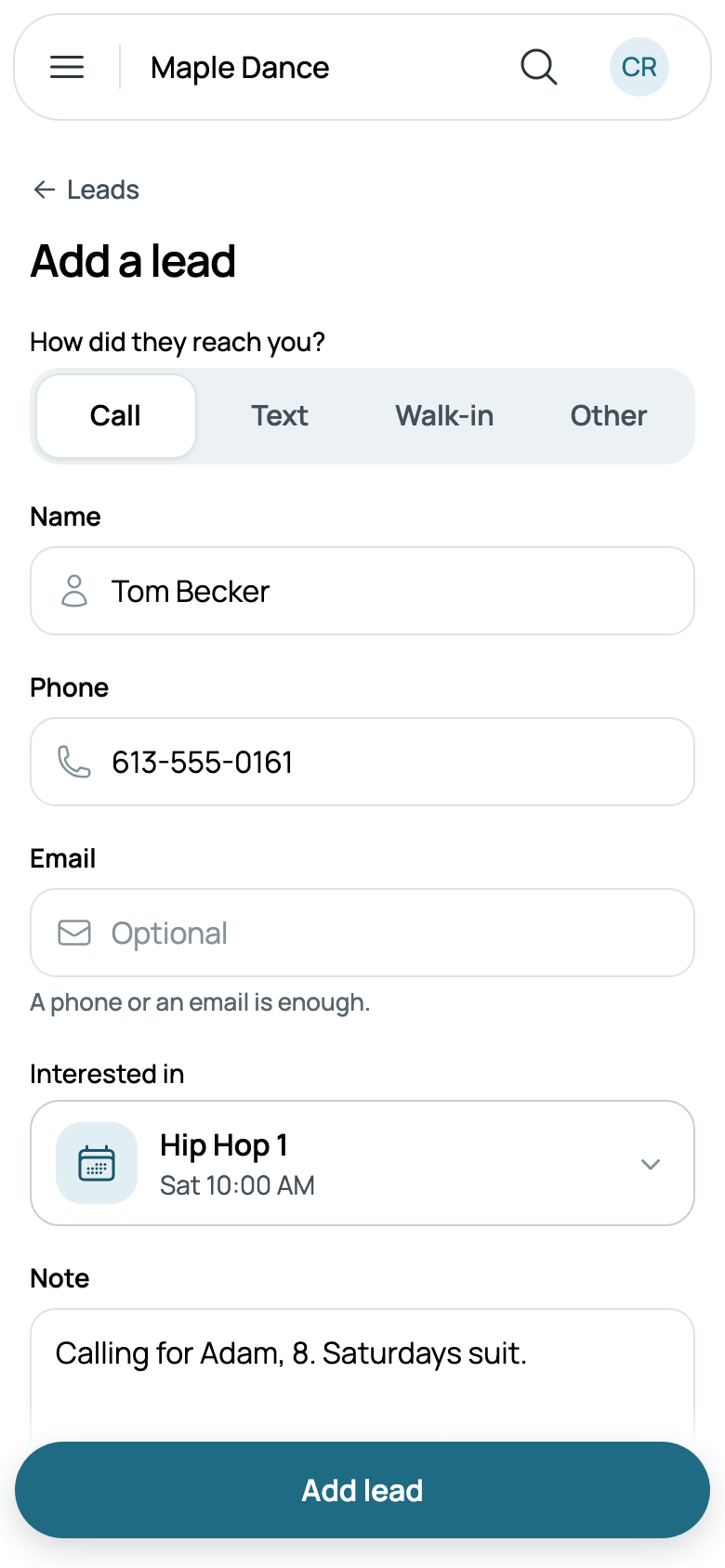
Someone who called or walked in starts at Talking, since you've already spoken, and nobody is emailed. The same email or phone is the same person, so someone already here isn't added twice: their page opens, saying they were already here and the call is added to it.
Changing and removing a lead
Edit, on a lead's page, changes their name, phone and email; once they've signed in, their email is theirs to change. At its foot, Remove lead is for spam or a mistake: it asks first, and their conversation is set aside. Someone with a bill or a place in a class stays, so mark them Not now instead.
Importing a spreadsheet
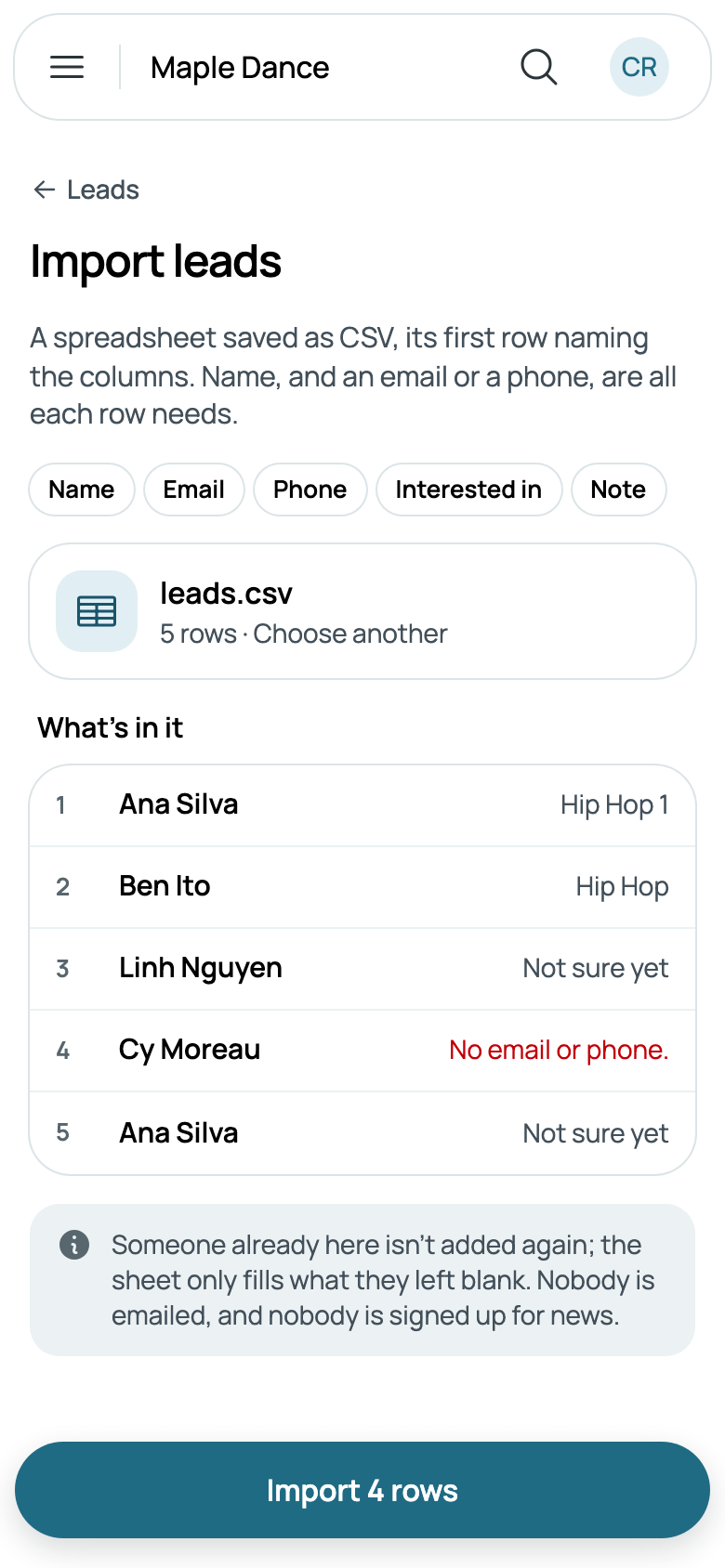
Leads you keep in a spreadsheet come in from More, Import a spreadsheet. Save it as CSV, its first row naming the columns: Name, Email, Phone, Interested in and Note, in any order. A name, and an email or a phone, are all a row needs.
Choose a spreadsheet shows what's in it before anything comes in: each row with what they're interested in, or what's wrong with it. Someone already here isn't added again; the sheet only fills in what they left blank. Nobody is emailed, and nobody is signed up for your news. The button says how many rows will come in.
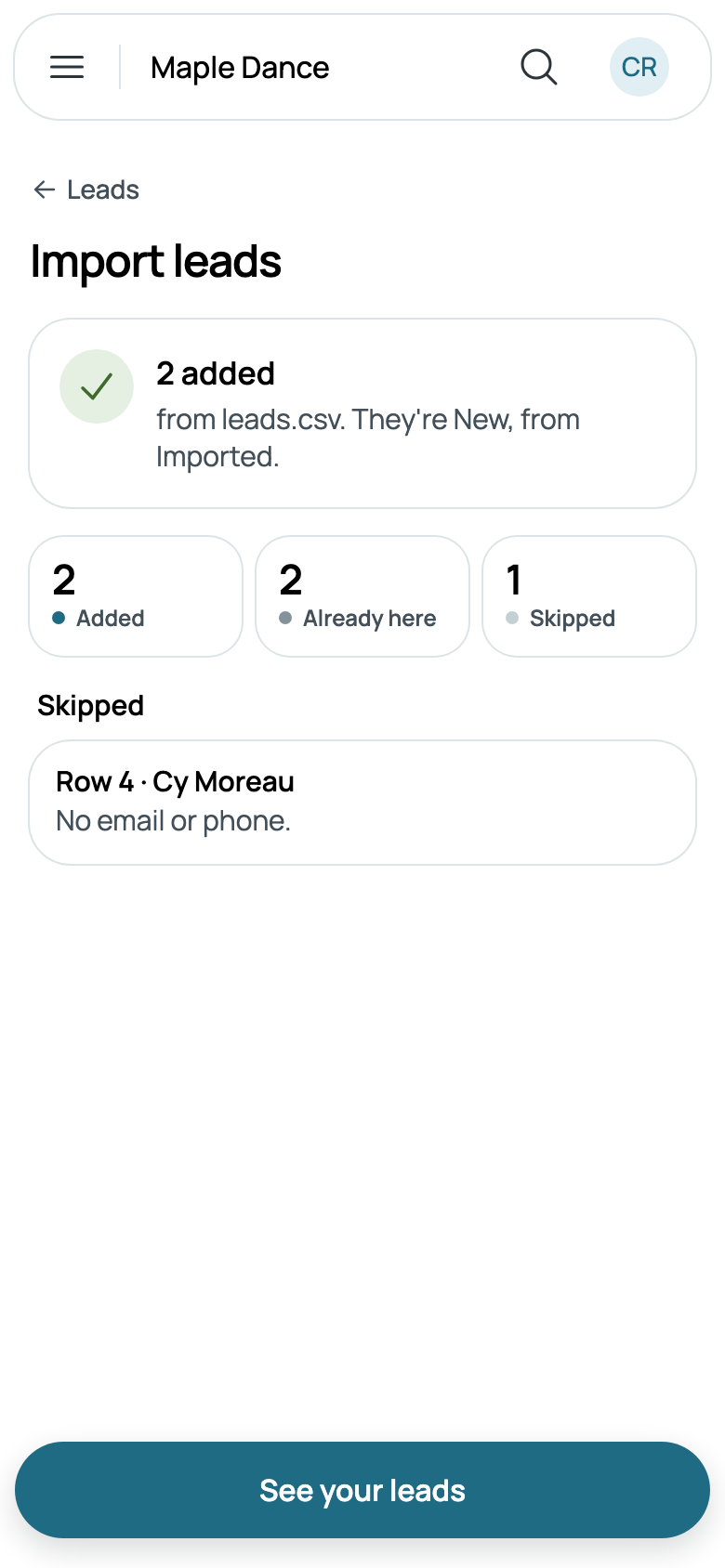
Then it says how many were added, how many were already here, and which rows were skipped, and why. They're New, from Imported, or Talking when their row had a note. A spreadsheet brings in up to 2,000 rows.
How leads are doing
More, then How leads are doing, or Reports, then Leads, shows this month, last month or this year: how many of the leads who came then have joined, how long your first reply took and how long joining took, the middle of each, and where they came from, each with how many joined. A lead counts in the month they came, wherever they stand now.
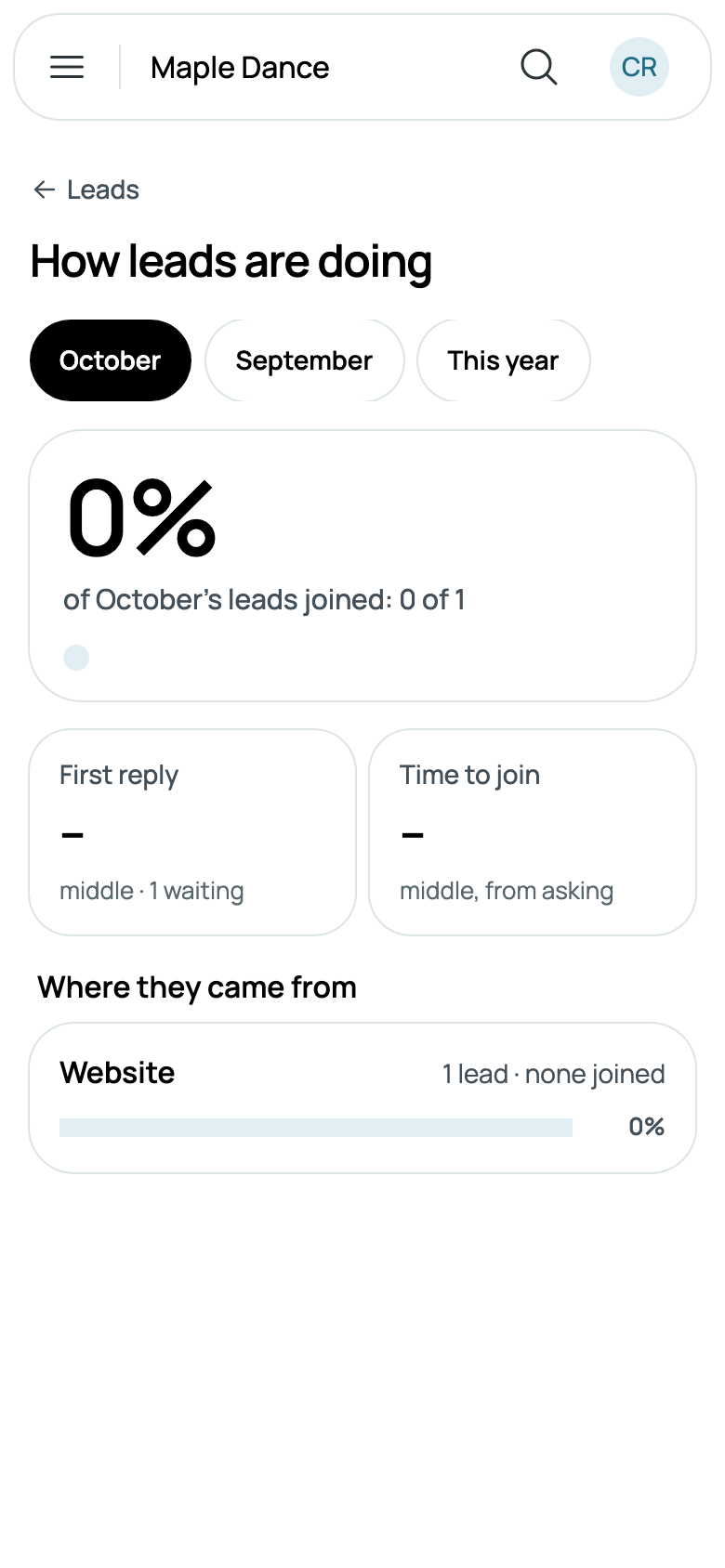
A link to your website ending in ?from= and a word, such as ?from=flyer, tags those who come by it and then ask, and the report splits Website by it.
Following up by email
With marketing emails on, switch on New lead follow-up, and it writes to someone new two days and a week after they ask, until they join or you mark them Not now. Your news can go to your leads too: Leads who haven't joined is ready to use, or make an audience of only those at New, Talking, With a trial or Not now.