Handing your business over
Selling your business, or passing it on? Hand it to someone on your team, and they own it, with everything you've built: your families, bookings, bills and website stay just as they are.
Before you start
They need to be on your team: invite them first if they aren't (see Inviting staff). Handing over asks for your password, so if you've only ever used Google or emailed links, choose one from your menu, top right: Set a password.
Hand it over
- Go to Settings, then Team and roles, and tap the person.
- Tap ⋯, then Hand Maple Dance over to Priya.
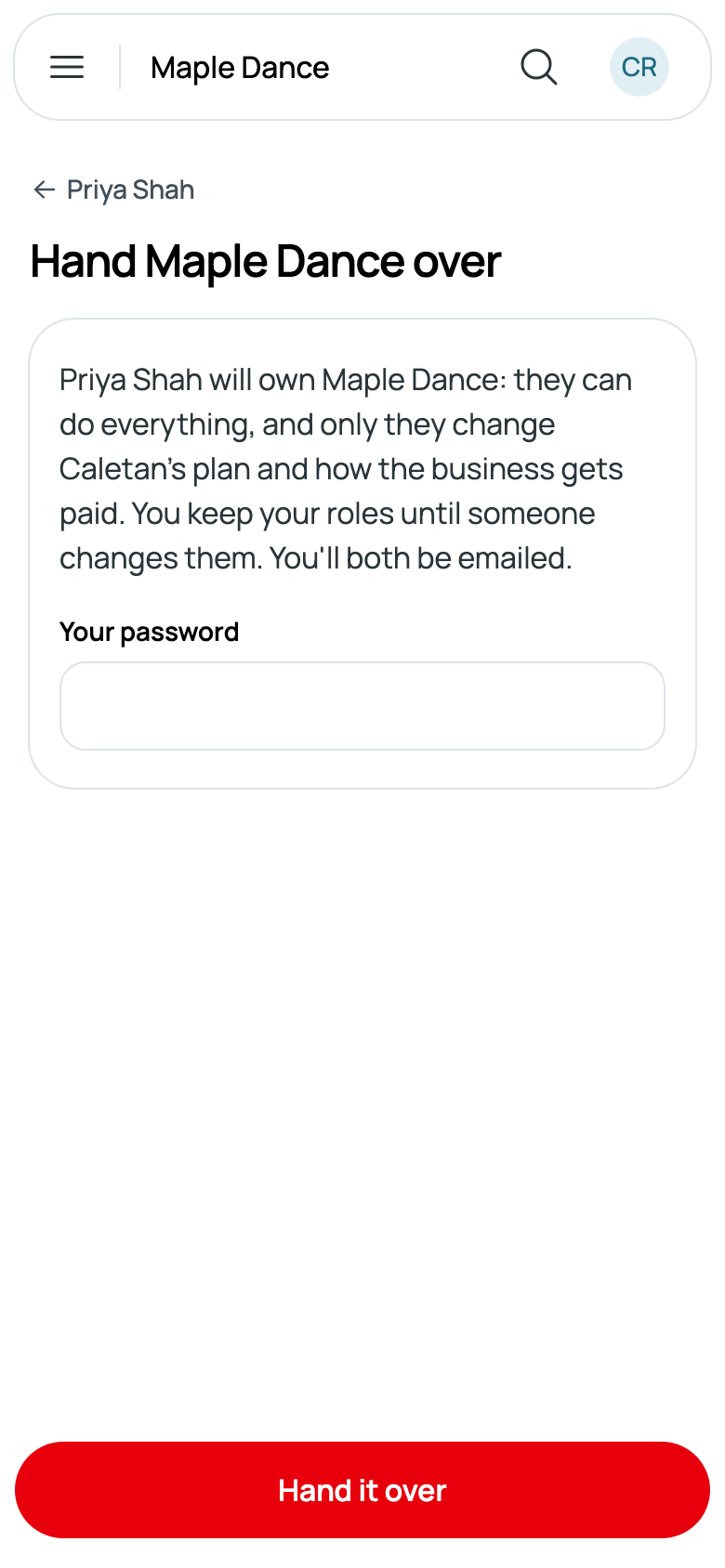
- Read what changes, type Your password, and tap Hand it over.
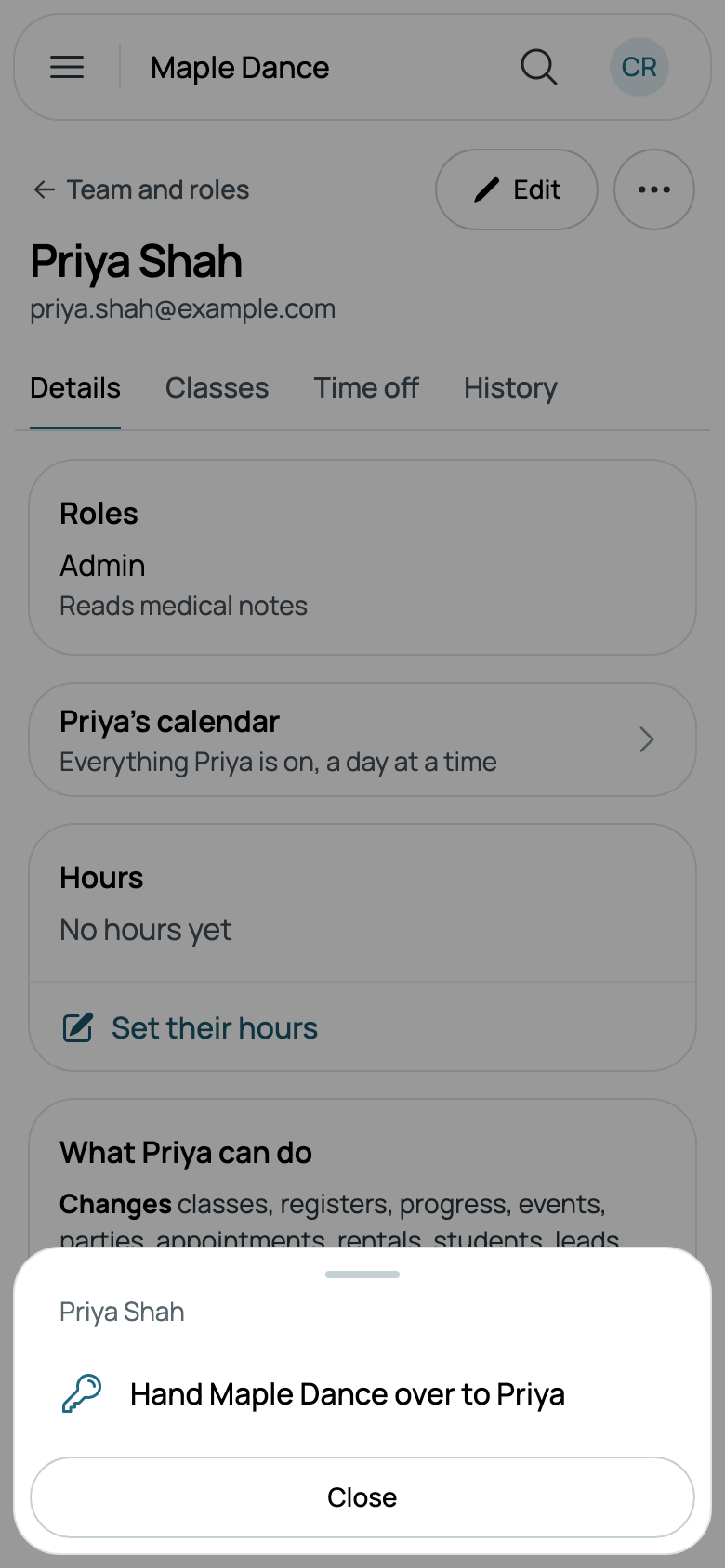
Only the owner can do it, so nobody else sees ⋯ on a team member's page.
What changes
They're the owner: they can do everything, and only they change Caletan's plan and how the business gets paid. Getting paid, Your plan and Your data, in Settings, are theirs now, and so are adding card readers and closing the business. Your business's Stripe account and its payouts stay with the business, for them to change.
You keep your roles until someone changes them, so you can carry on as you were, less what's the owner's alone (see What each role can do). You're both emailed, and Team says Owner beside their name.
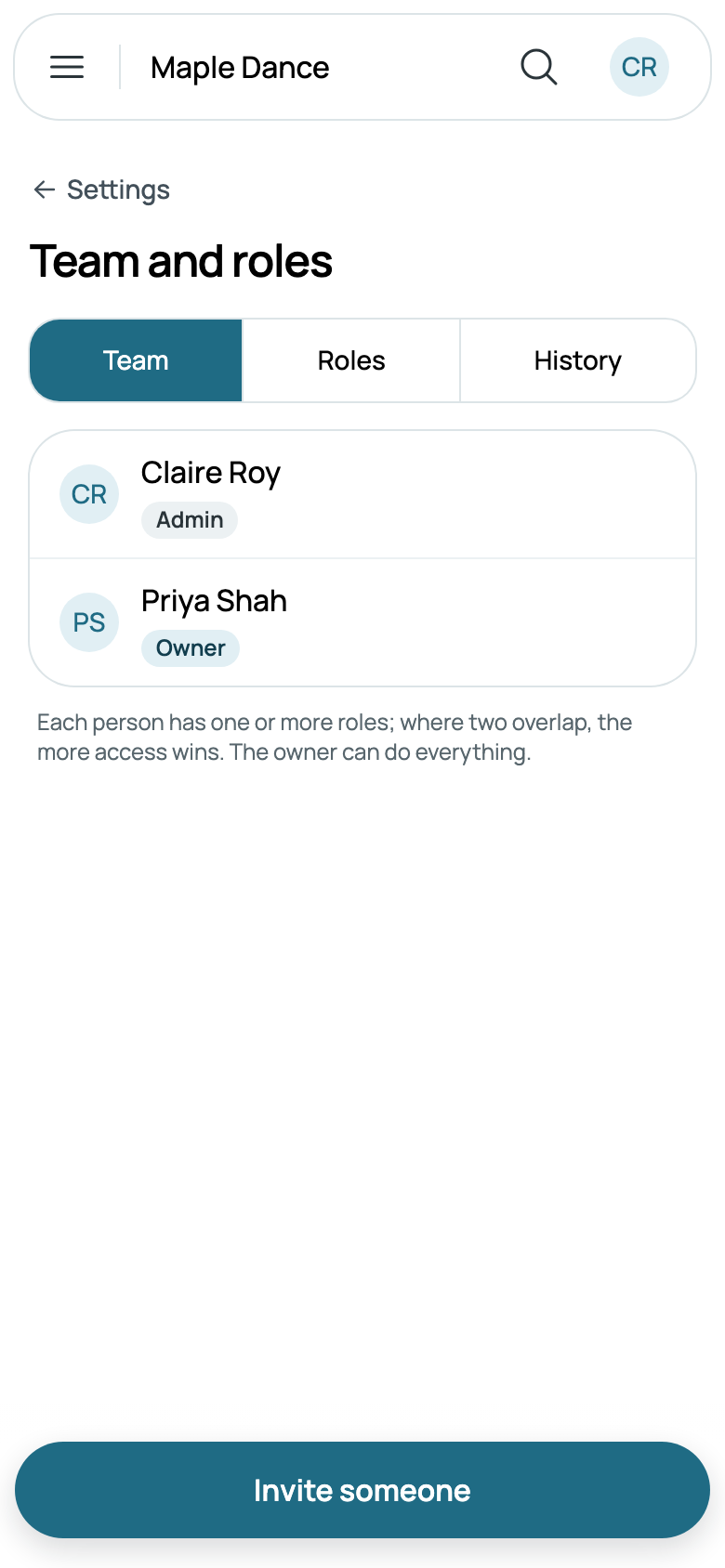
To have it back, they hand it back to you, the same way.