Tracking and ads
Your own Google Analytics, your ad pixels for Meta, Google, TikTok, Pinterest and Microsoft, and Microsoft Clarity, on your website. Your visitors are asked first: none of them loads until a visitor says yes.
Add your tools
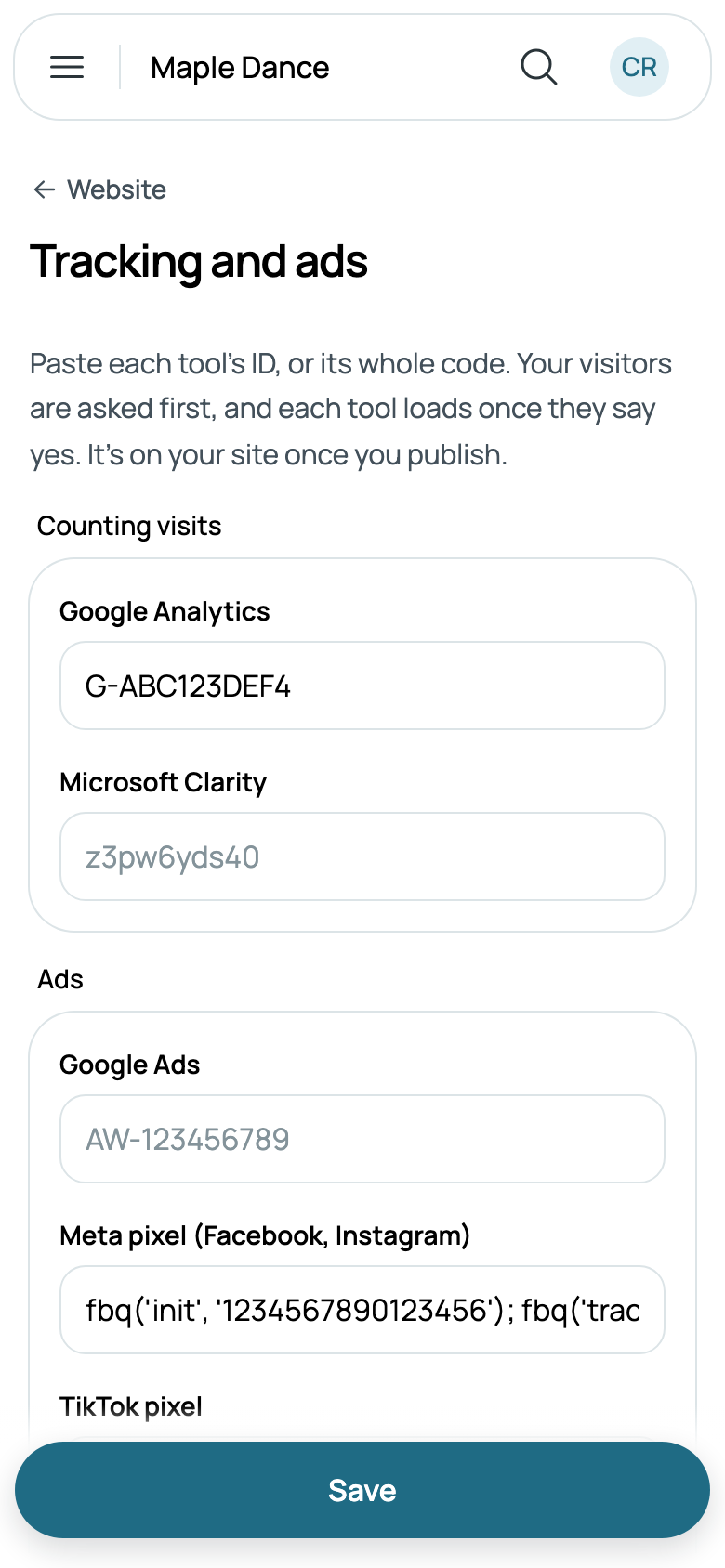
- Go to Settings, then Website, and tap Tracking and ads.
- Paste each tool's ID, or the whole code it gives you: Caletan finds the ID in it.
- Google Analytics: it starts G-. In Google Analytics, it's under Admin, Data streams, your website's stream.
- Google Ads: it starts AW-. To count each question asked on your site as a conversion, paste the conversion's event snippet, which adds its label (AW-123456789/AbC…).
- Meta pixel, for Facebook and Instagram ads: 15 or 16 digits, from Meta's Events Manager.
- TikTok pixel, Pinterest tag, Microsoft Advertising (its UET tag) and Microsoft Clarity: the ID each gives you.
- Tap Save, then Publish on your website's page. Your tools are on your site once it's published.
Your visitors are asked first
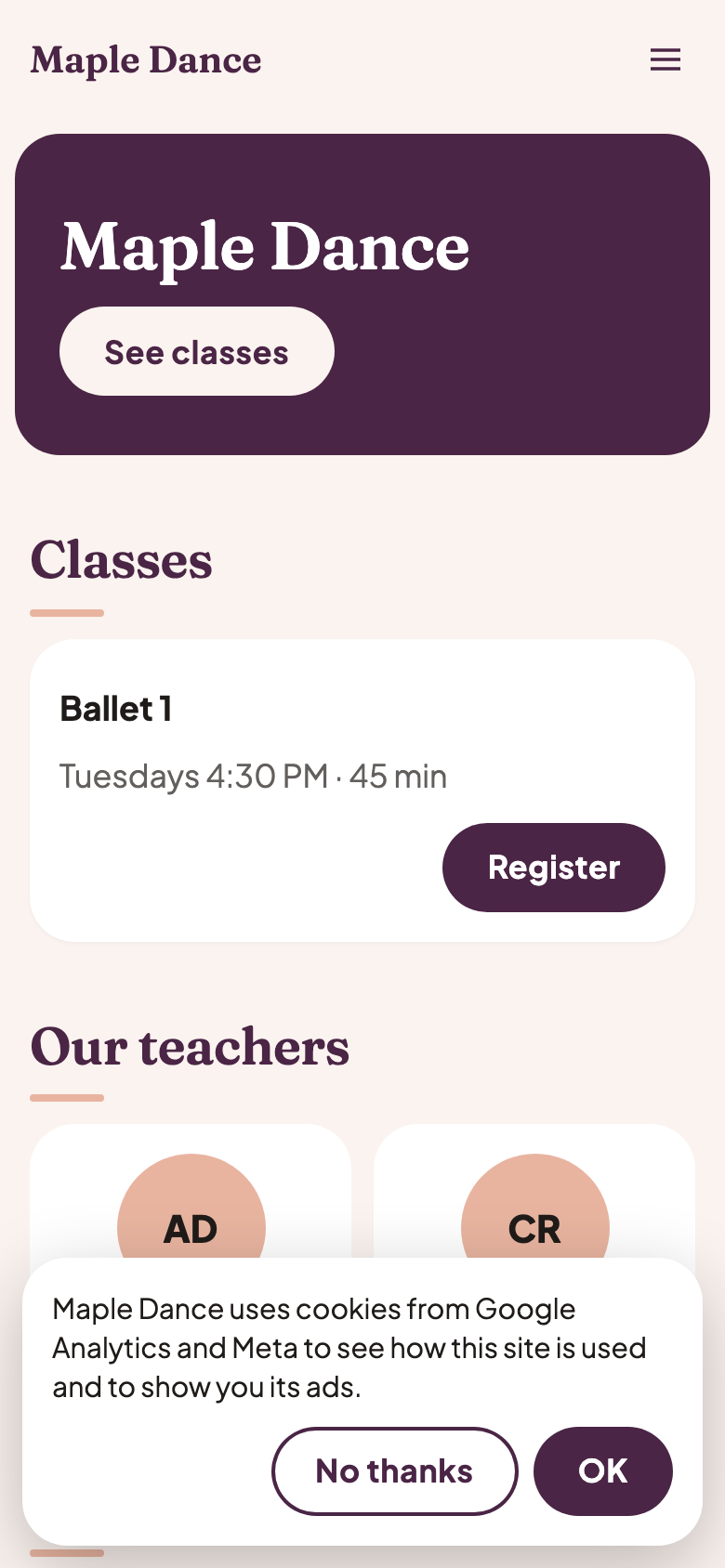
A visitor sees a short note naming your tools and what they're for, with No thanks and OK. Nothing loads until they tap OK, and their answer is kept for a year. A browser set to ask sites not to track (Global Privacy Control) counts as a no, unless the visitor says otherwise. Cookie preferences, at the foot of every page, asks again; a no takes the yes back and clears the tools' cookies.
Signing in, registering and paying never wait on that answer: they need no tracking. And your tools are on your website's pages only, never on your families' account pages, their bills or the card form, so what your families tell you stays with you.
What your tools are told
Each counts the pages of your site a visitor opens, once they've said yes. A question sent from your site's form is a lead to each: generate_lead in Google Analytics, Lead in Meta, SubmitForm in TikTok, lead in Pinterest, submit_lead_form in Microsoft Advertising, and a conversion in Google Ads when you gave its label.
Your own domain, or caletan.com
Your tools work either way. At your site's address on caletan.com, Google Analytics keeps its cookie to your address; some of the others keep theirs across caletan.com, where they choose to. On your own domain, every tool's cookies are your site's alone.
The tools you add are yours, so say in your own privacy policy which ones you use and why.
Prove your site is yours
Google Search Console, Meta, Pinterest and Bing each ask you to prove the site is yours. On Tracking and ads, tap Prove your site is yours, paste the code each gives you, or its whole meta tag, then Save and publish. It's in your site's pages for them to find, whatever your visitors answer.