Discounts, packages and fees
Set them up once and checkout does the sums: a discount for brothers and sisters or a second class, a package of classes at one price, a registration fee, and promo codes to share. Each line of the bill says what came off and why, by the name you gave it. They're all in Settings, under Money.
Discounts
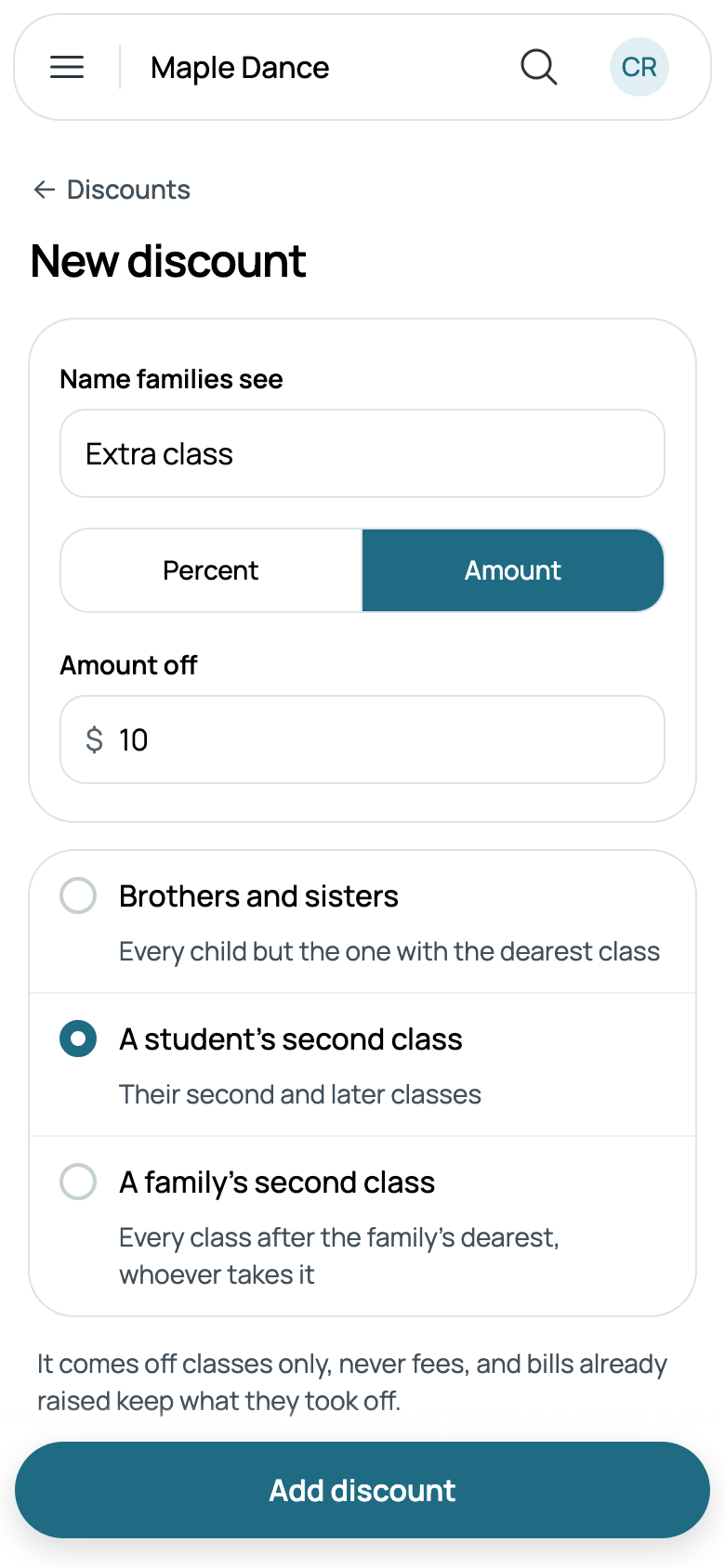
Go to Settings, then Discounts, and tap New discount. Give it the Name families see, such as Sibling rate, then Percent or Amount and how much, and choose what it comes off:
- Brothers and sisters: every child but the one with the dearest class.
- A student's second class: their second and later classes.
- A family's second class: every class after the family's dearest, whoever takes it.
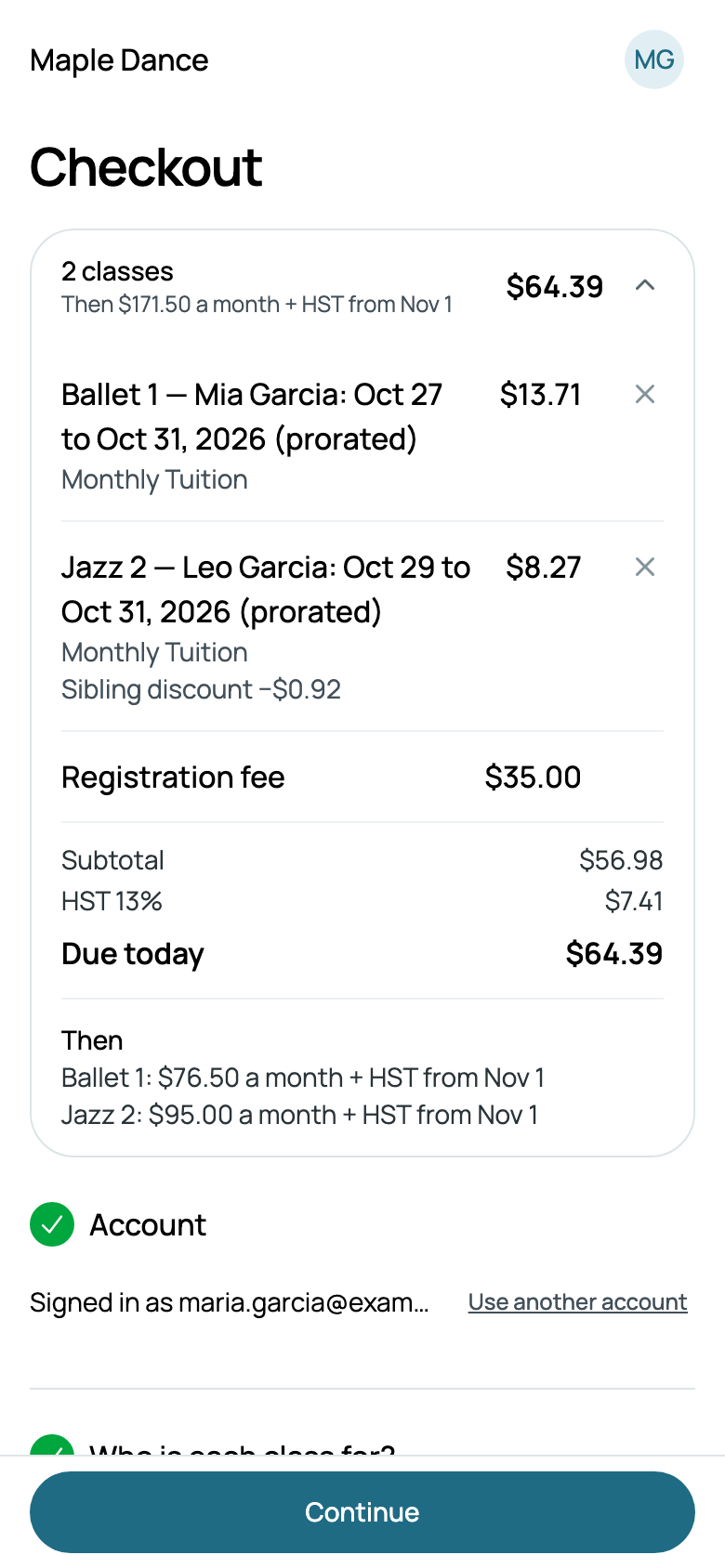
The classes a family is already in count too, so a brother or sister who registers months later is a sibling all the same. A parent taking a class themself is nobody's brother or sister. Discounts are never stacked: each class takes the largest one, as money, and the bill names it. They come off at checkout and on every monthly bill, and off classes only, never fees.
To stop one for a while, open it and turn off Taken off: its row says Off. Delete discount is at the foot of its form. Either way, bills already raised keep what they took off.
Packages
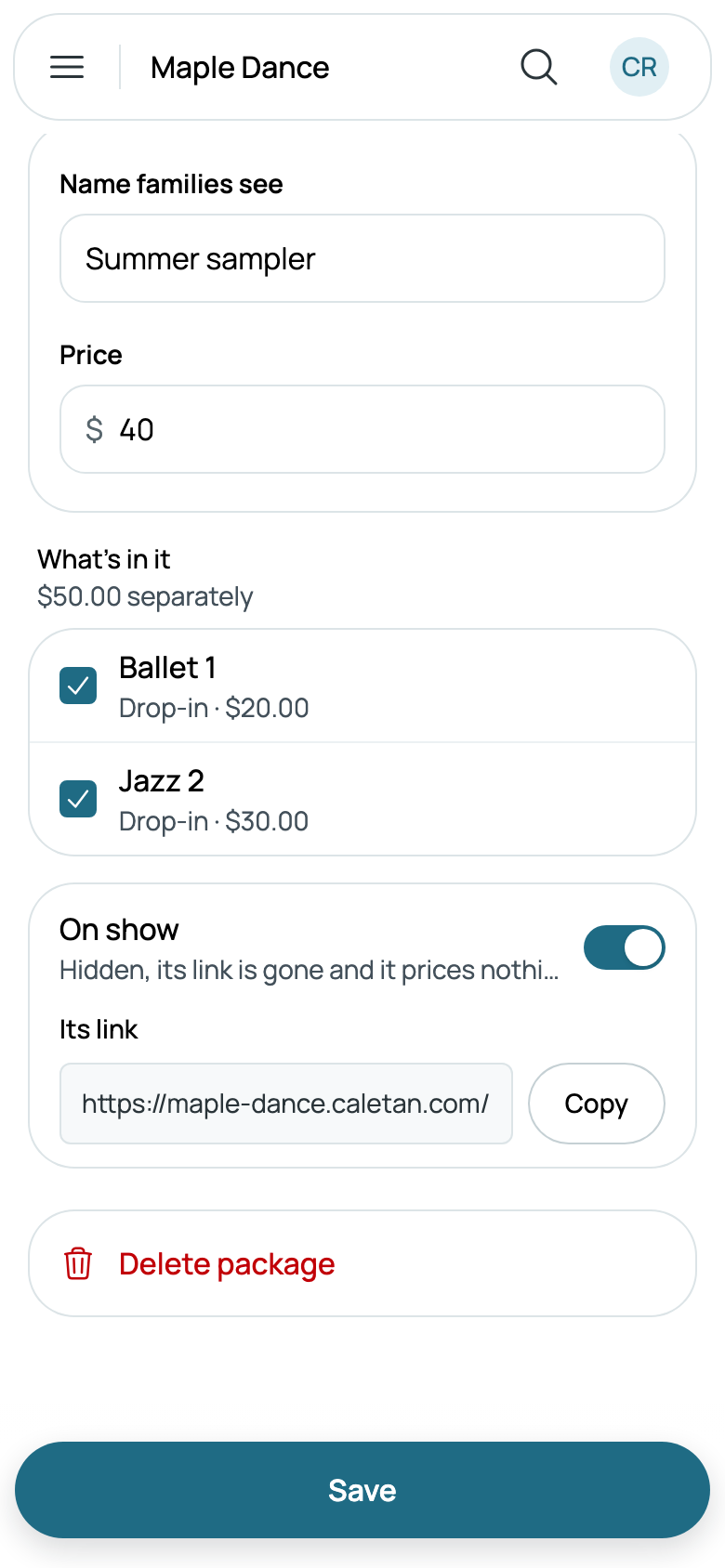
A package sells several classes together at one price, such as a summer sampler of a ballet drop-in and a jazz drop-in for $40. Go to Settings, then Packages, and tap New package: its Name families see, its Price, and under What's in it, tick two or more of your drop-ins, packs and courses. It says what they'd cost separately.
Once it's added, open it again for Its link, to copy into an email or a post.
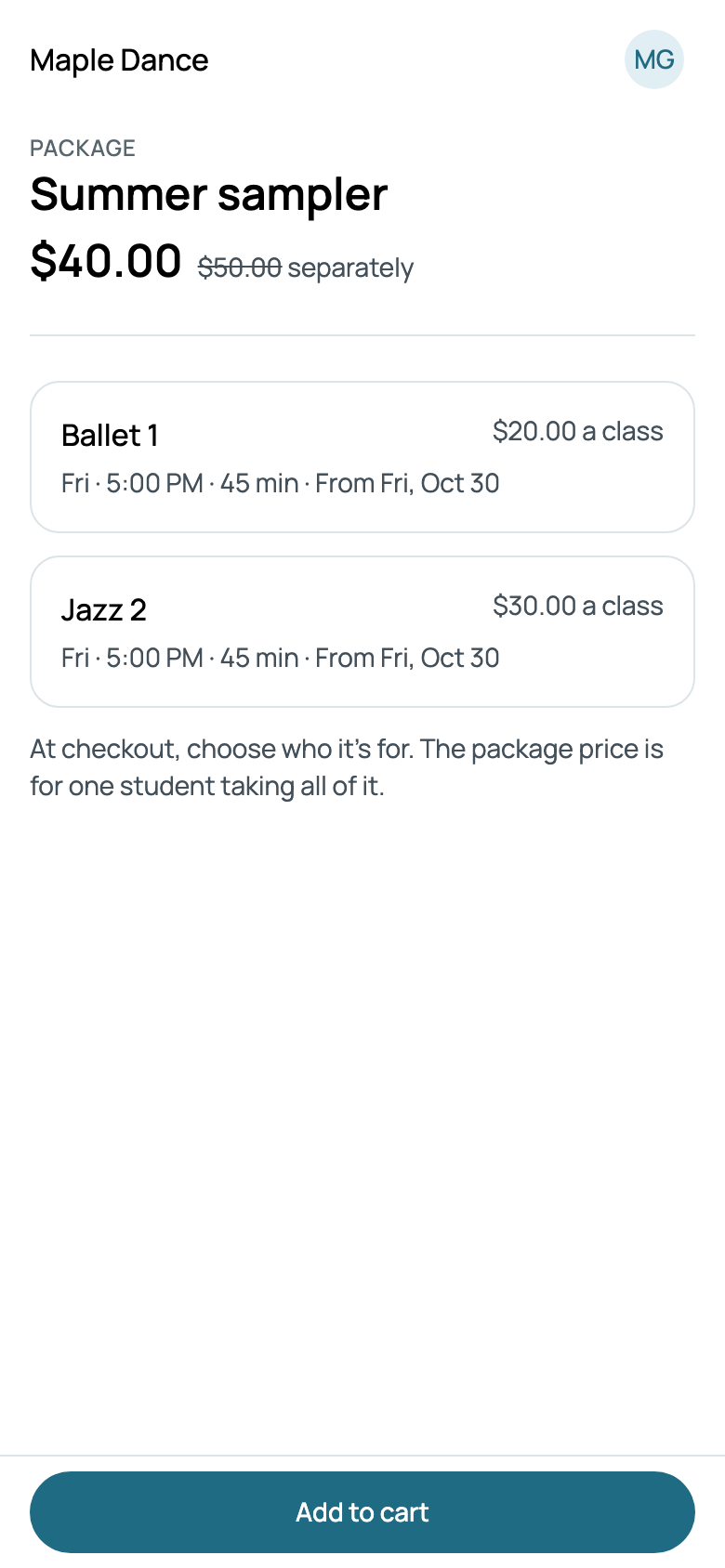
The link opens the package on your site: its price beside what it costs separately, each class and when it meets, and Add to cart. At checkout, families choose who it's for: the package price is for one student taking all of it. It's the same when someone puts those classes in their cart one by one.
The bill names the package where the saving comes off, and no other discount or promo code comes off those classes. Turn off On show to hide it: its link stops working and it prices nothing. Deleting it does the same, and what families bought with it carries on as bought.
Fees
Go to Settings, then Fees, and tap New fee: its Name, its Amount, and what it Comes with: Every class, one season's classes, or one class. Then how often:
- Each time they enroll: with every checkout that brings it.
- Once per family: the first time, and never again.
- Once a year per family: again 12 months after it was last charged.
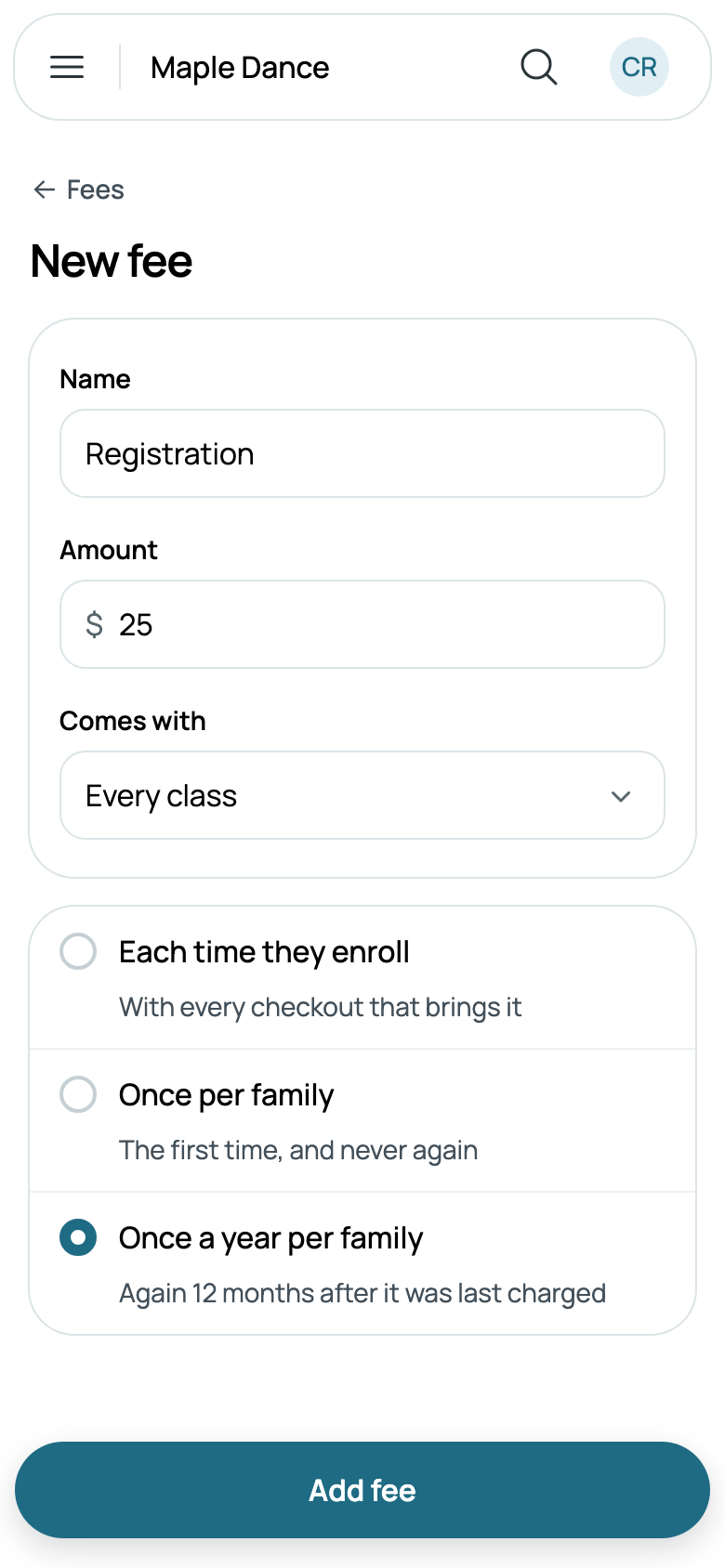
A fee is charged once at checkout, however many classes or children bring it. It's never discounted, and it's taxed where the class that brought it meets. For a fee once per family, a bill that was cancelled or refunded in full doesn't count.
A fee can include tickets to a show, say 2 Adult tickets to your recital for each student: see Classes in a show, and the family presale.
To stop charging one, open it and turn off Charged at checkout: it stays on the bills it's on. A fee that's never been billed can be deleted; one on bills can't, and you're told to turn it off instead.
Promo codes
Go to Settings, then Promo codes, and tap New promo code: the Code families type, such as SUMMER20, Percent or Amount and how much, and if you like its Last day and how many Uses. Under For, tick the classes it's for: none ticked, it's for every class.
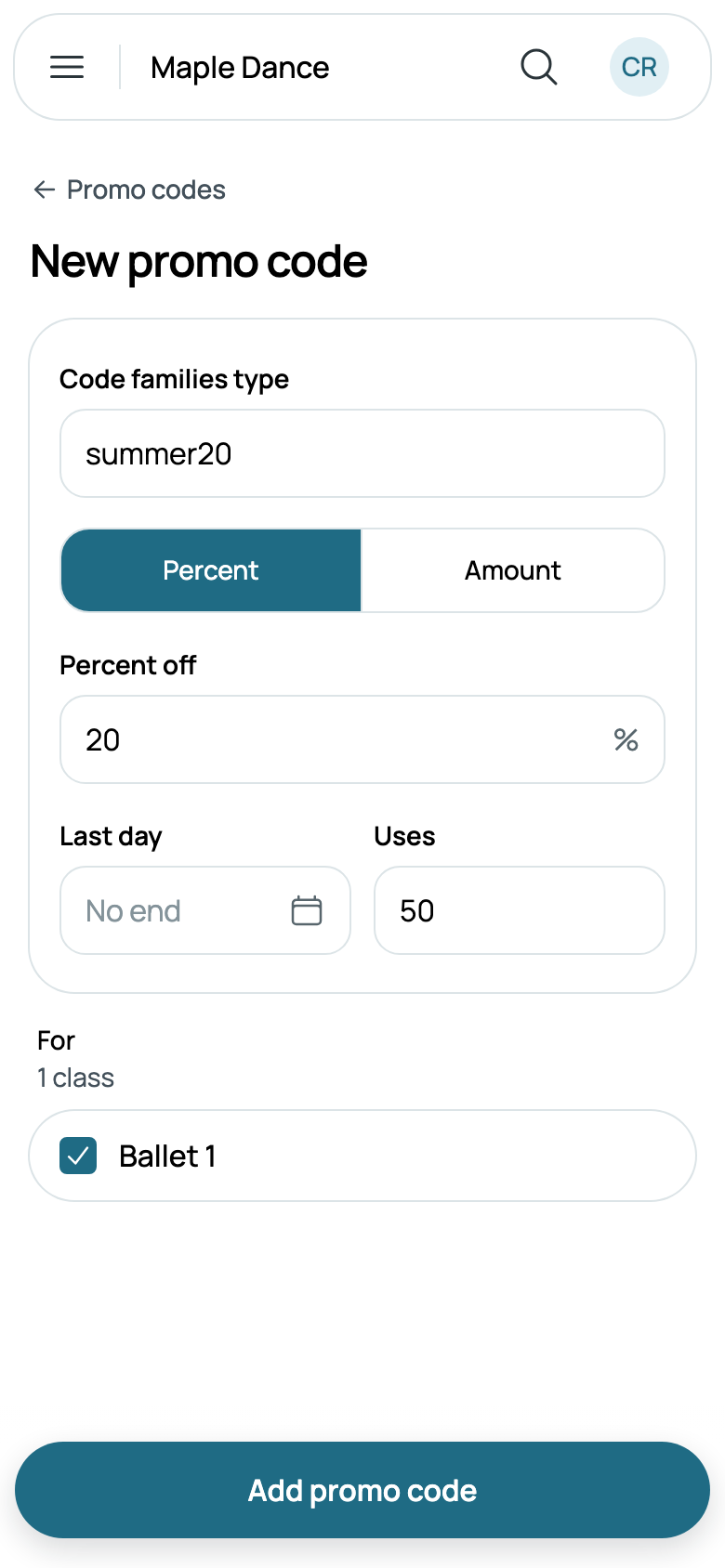
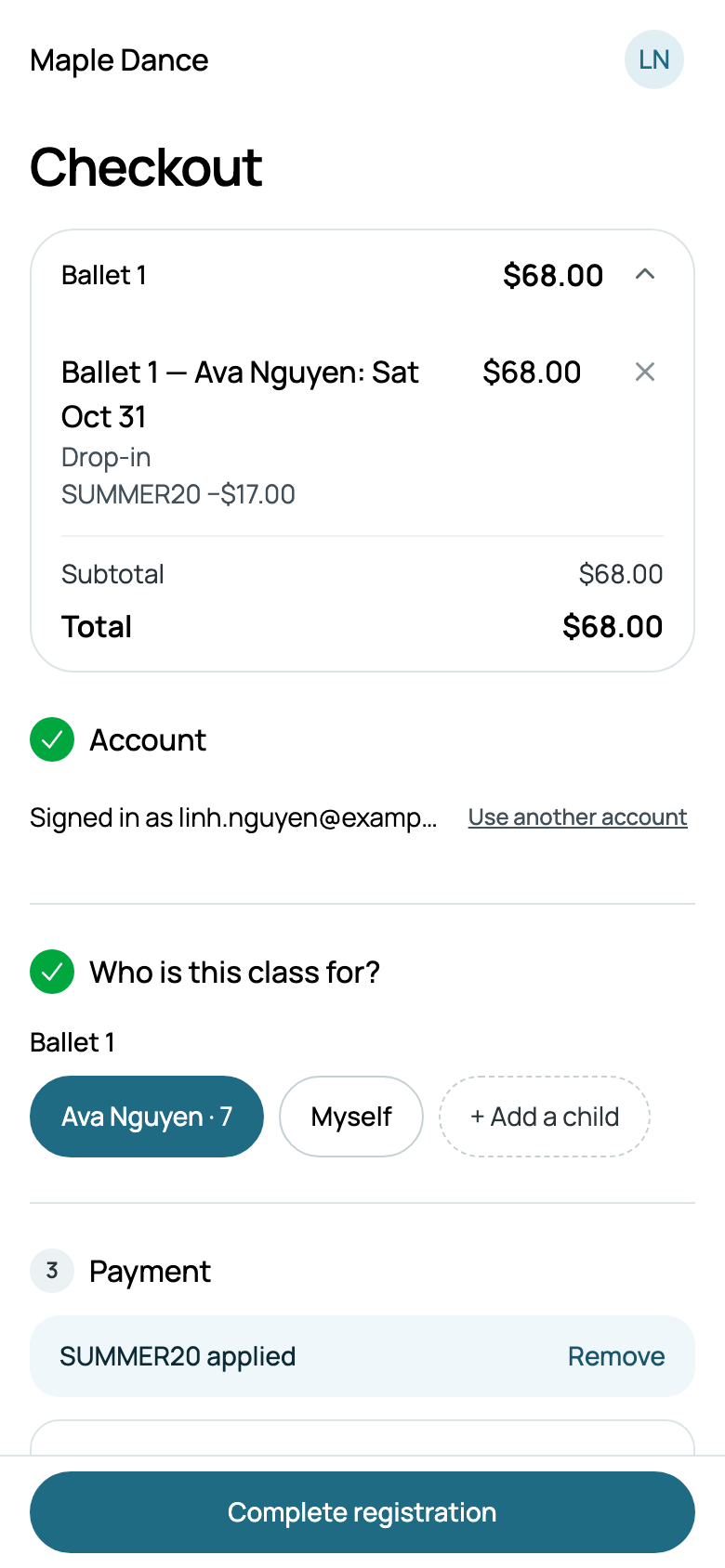
At checkout, families tap Have a promo code?, type it in any case, and tap Apply: the summary shows what came off, by the code's name. One code goes on a checkout. A percentage comes off each class it's for; an amount comes off once, from the dearest. Where a family discount comes off the same class, the larger of the two is taken. A code comes off what's paid at checkout, never the months after, and never a package's classes or a fee.
A code that can't be used says why, under the box: This code isn't valid., This code has expired., This code has reached its usage limit., This code is no longer active. or This code doesn't apply to this class.
Once a code is used, its page lists who used it, the latest first, with the bill's number, its day and what came off: Used 1 of 50 times. Each opens the bill, and its back arrow comes back to the code. A cancelled bill doesn't count toward the limit.
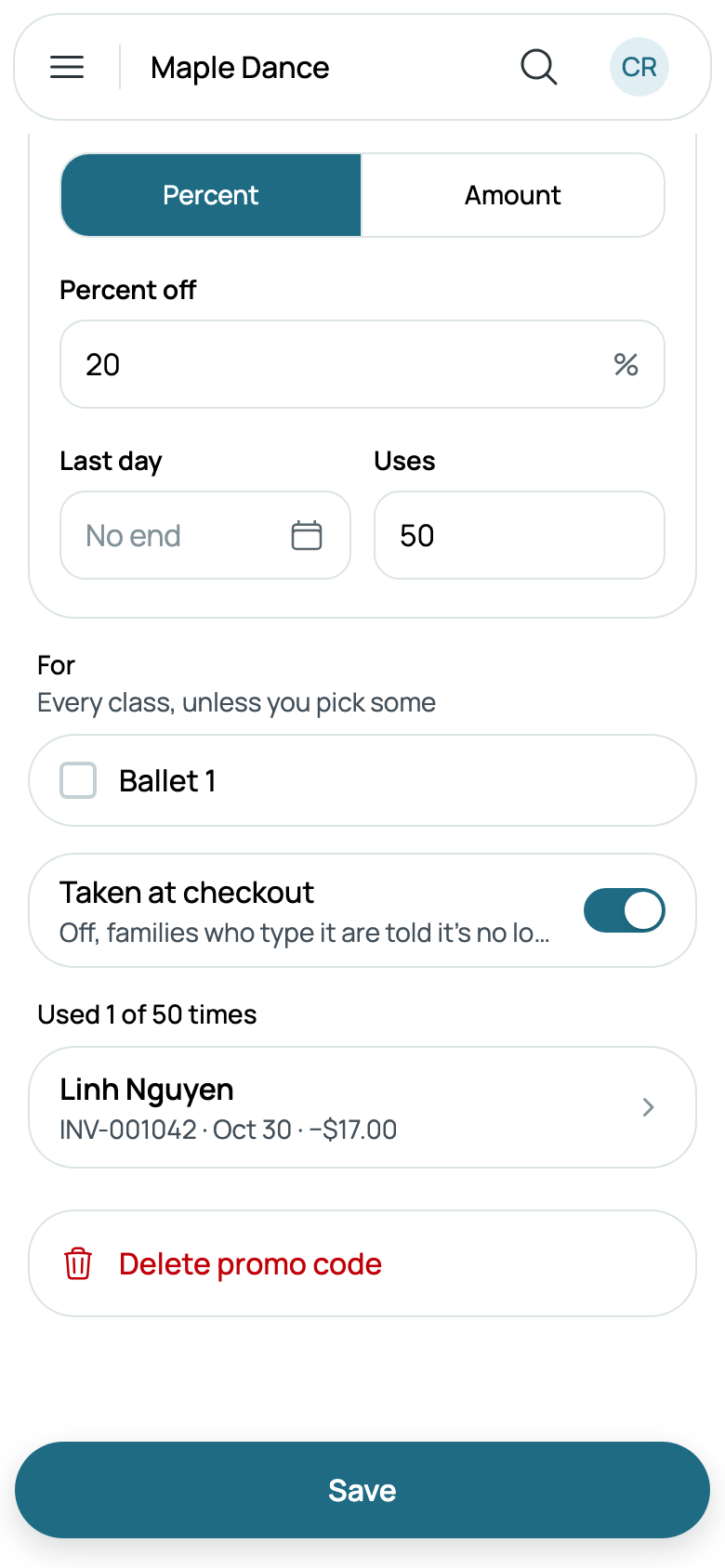
To end a code early, turn off Taken at checkout: families who type it are told it's no longer active. A code that's been used can't be deleted, as its bills name it. Codes for event tickets work the same way, with the shows they're for: see Comps and promo codes. A code for shows is for no class, unless you tick some under For too.
Monthly tuition
When a class priced by the month is charged each month is up to you, in Settings, Monthly billing: see Cards, deposits and instalments. Each month's bill takes off the family's discounts as checkout did.